16
2.2 Audio Connection Installation
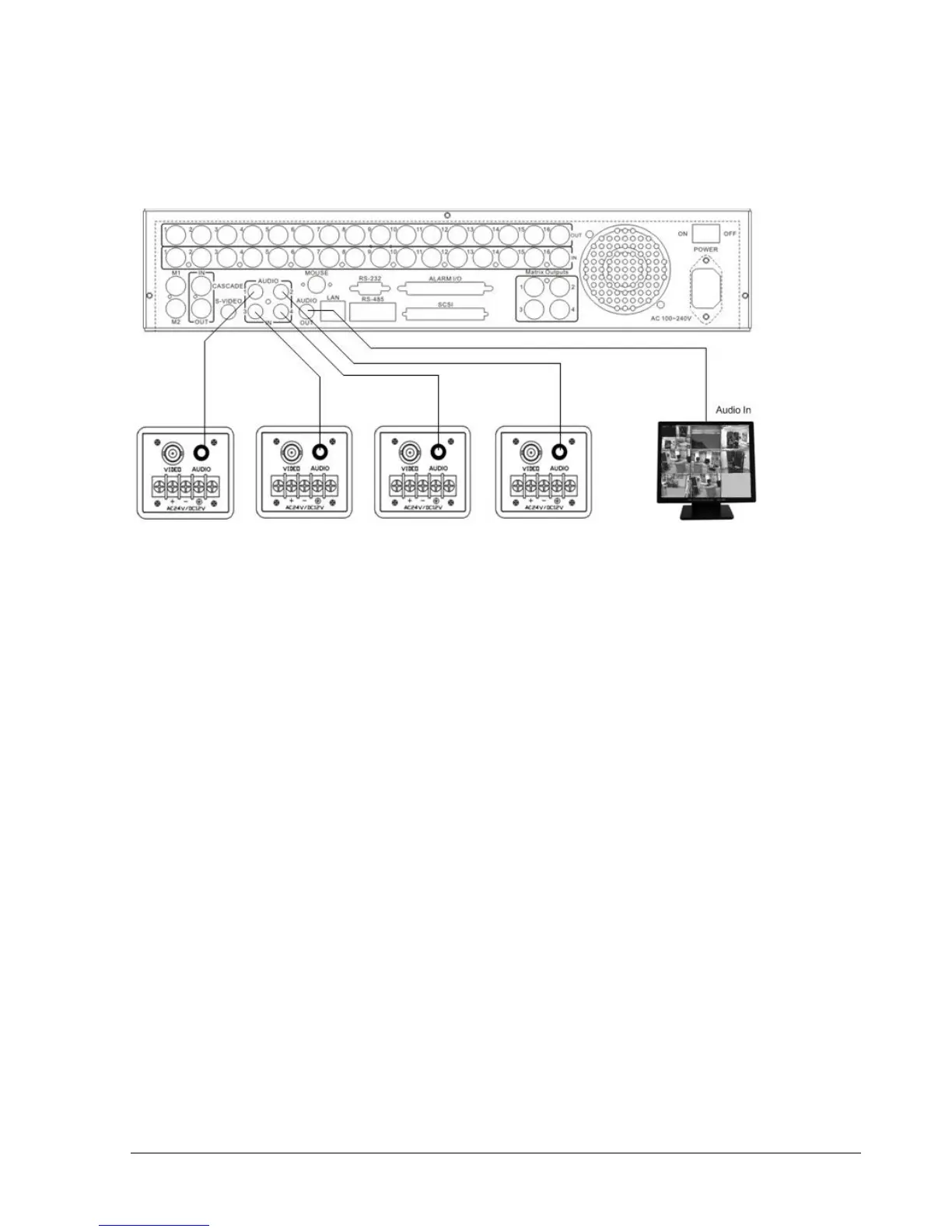
Sample installation with audio connection to video cameras providing audio output:
Diagram 2.5
The EDR1640/1620/920 DVRs provide 4 audio inputs and 1 audio output.
The inputs are designed for max. 500 mV to 10 KOhm line audio signals.
ATTENTION: The direct connection of a non-amplified microphone is not supported (a microphone
amplifier is required).
The installation has to be effected with audio coax cable and RCA plugs.
The output provides a max. 500 mV to 10 KOhm line audio signal and may be connected to e.g. a
monitor‘s audio input. The direct connection of (passive) speakers is not supported.
AUDIO RECORDING FUNCTIONALITY:
Audio recording is activated / deactivated in the RECORD menu for all channels.
Audio of all channels is always recorded together with (each) video and is independent of the image
recording rate. There is no specific camera allocation.
During playback, use the JOG to select the requested playback channel 1~4 (active channel is
indicated in playback on-screen display).














 To Next Page