46
4. SERVER 1: assign the IP address of Alarm server 1.
5. SERVER 2: assign the IP address of Alarm server 2.
6. SERVER 3: assign the IP address of Alarm server 3.
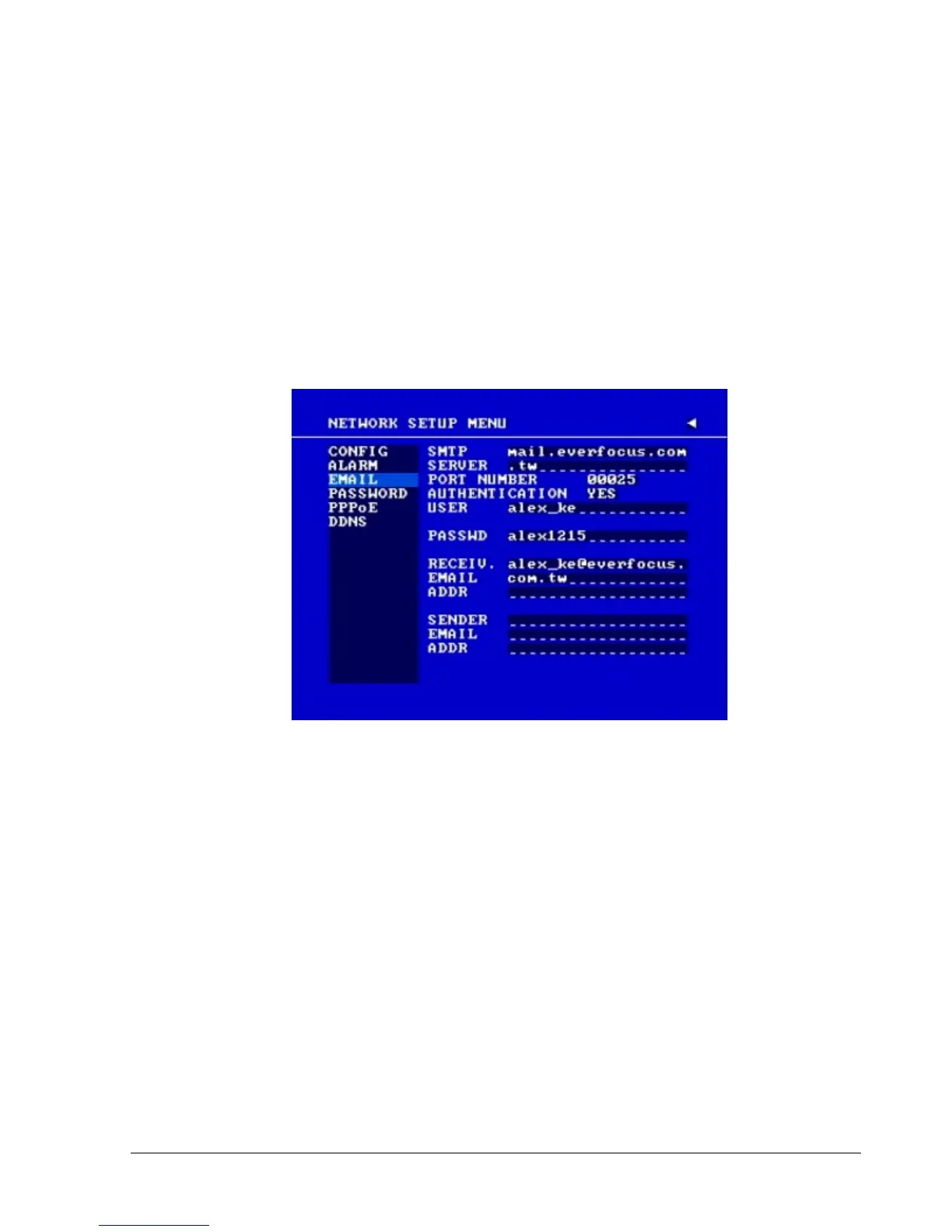
3.7.3 EMAIL
In the EMAIL of the NETWORK SETUP MENU,we define:
Diagram 3.12
In the EMAIL of the NETWORK SETUP MENU,we define:
1. SMTP SERVER
Assign the SMTP (e-mail) server’s name.
Note: For more reliable email service, use the server’s IP address.
2. PORT NUMBER
Assign the port number for SMTP server. The default port is 25.
3. AUTHENTICATION
Select “YES”, if the SMTP server requires Authentication (user name / password)
4. USER
Input the login user ID if the SMTP server requires Authentication.














 To Next Page