132
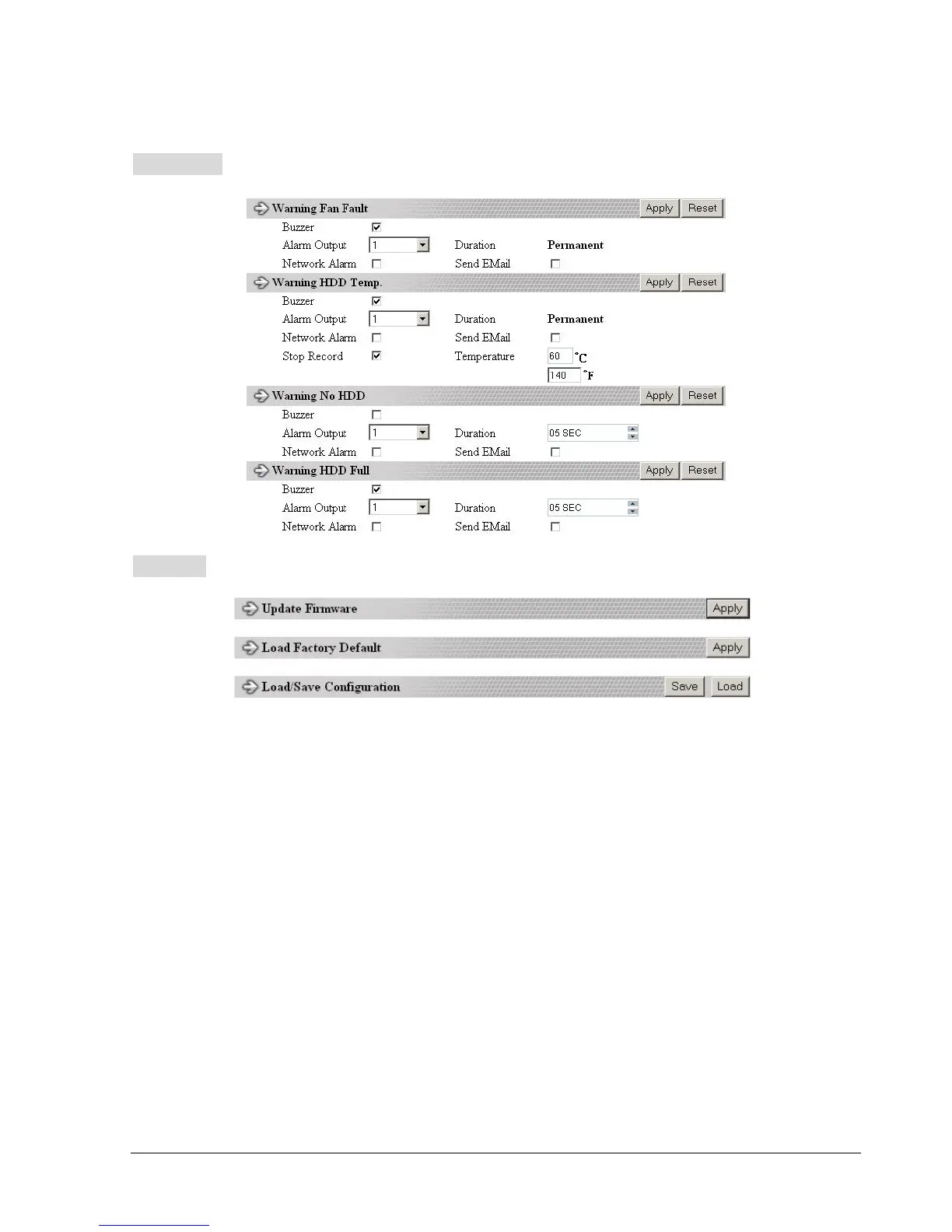
WARNING setup menu
SYSTEM setup menu
All recording should be stopped before making any changes on this menu.
Update Firmware
1. After clicking Apply, an “Open File” window appears.
2. Find the folder where the firmware upgrade is saved and choose Open.
3. On the DVR’s monitor, you will see a notice that the firmware is being updated.
Note: DO NOT try to open the menu or make changes at the DVR while
this process is happening.
4. When the update is complete, the DVR will reboot automatically.
5. Once “Load System” has finished, the system’s software will be updated. You will
need to refresh the network viewer for the changes to take effect.
Load/Save Configuration
1. Clicking Save will open a “Save File window.
2. Select the folder you wish to save the configuration file to and then choose Save.
3. Clicking Load will open an “Open File” window.
4. Find the folder where your configuration file is saved and then choose Open.














 To Next Page