27
To set the ending time change of daylight saving time: Choose when the time changes from
the old time (FROM) to the new time (TO) when daylight saving ends.
8. TIME SYNCHRONIZE
Select “ON” or “OFF” to enable or disable time synchronize, which will update the correct time
automatically when network is connected. To change this, simply use the Jog Dial on the DVR.
9. TIME SERVER
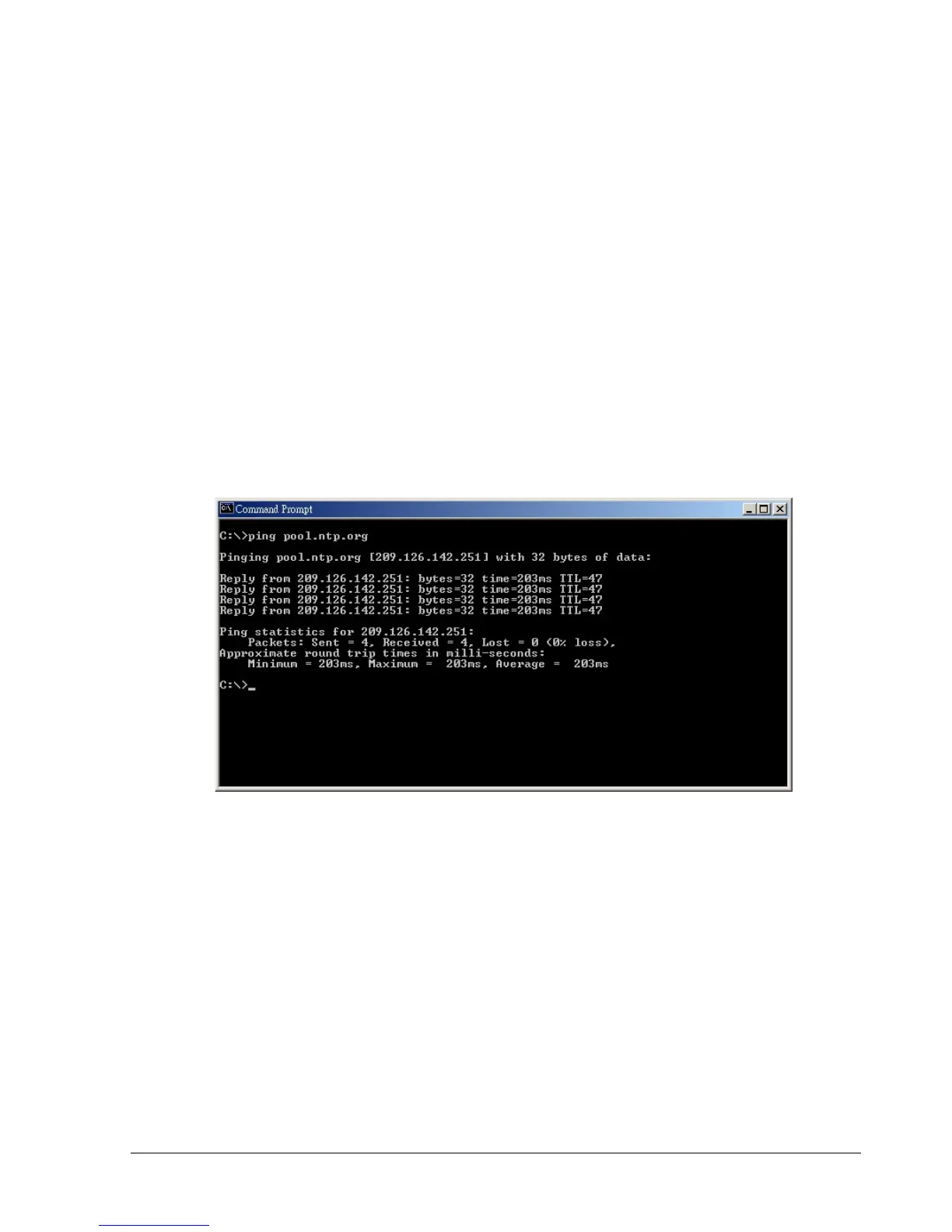
You can set the time server address that the DVR connects to for time synchronize. To find the IP
address of NTP Server, please follow these steps:
a) Go to a PC that is connected to the internet.
b) Click on “START” -> “RUN” -> type “cmd” -> press “OK”.
c) In the Dos Prompt, type “ping pool.ntp.org” to find out the IP address of an NTP Server.
Diagram 3.3
10. TIME ZONE
You can set the time zone that the DVR adjusts to when updating from the time server.
Atlantic Daylight Time subtract 3 hours from GMT
Atlantic Standard Time subtract 4 hours from GMT
Eastern Daylight Time subtract 4 hours from GMT
Eastern Standard Time subtract 5 hours from GMT
Central Daylight Time subtract 5 hours from GMT
Central Standard Time subtract 6 hours from GMT
Mountain Daylight Time subtract 6 hours from GMT
Mountain Standard Time subtract 7 hours from GMT














 To Next Page