32
7. SUMMARY :
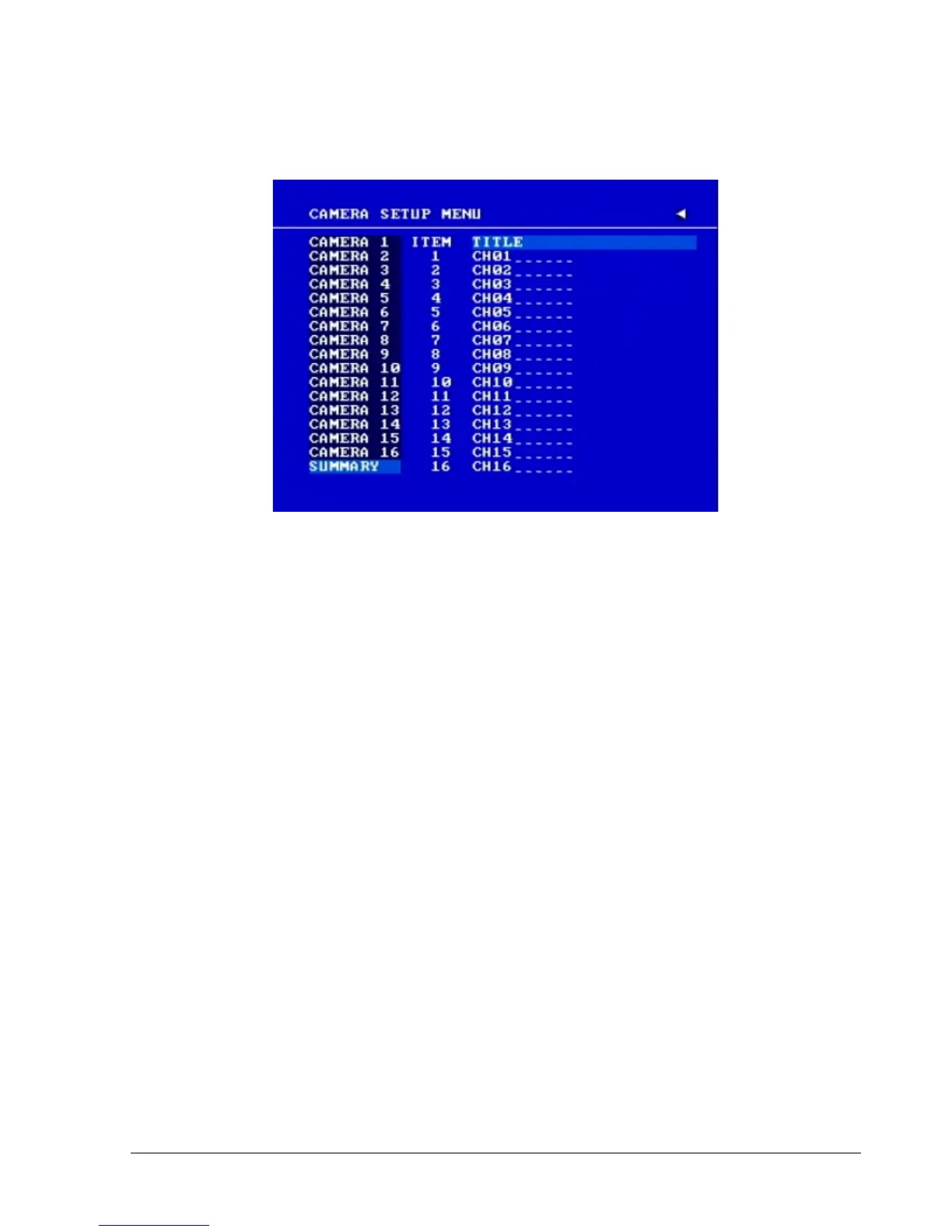
Diagram 3.5
Dial Jog to change items in the SUMMARY table.
All cameras’ statuses are shown in the SUMMARY table. The table is for checking camera
overall statuses only, not for setting.
Note: The SUMMARY table also exists in ALARM, MOTION and VIDEOLOSS SETUP
MENU. All of these SUMMARY tables are also for checking particular overall statuses, not for
setting.
8. Copy camera’s setting from a camera to other cameras: In order to quickly copy the setting
from one camera to other cameras, we provide a copy function for camera settings. Highlight
the desired camera from the list on the left, and then pressCOPY. COPIED will show up in the
top right corner of the screen. Dial the Jog to the camera you would like to copy to, and then
press SEARCH to paste. The previous settings of the camera will be overwritten, and PASTED
will be displayed in the top right corner.
Note: TITLE, PTZ ID, and INSTALL/COVERT cannot be copied. These 3 options must be set
independently.














 To Next Page