76
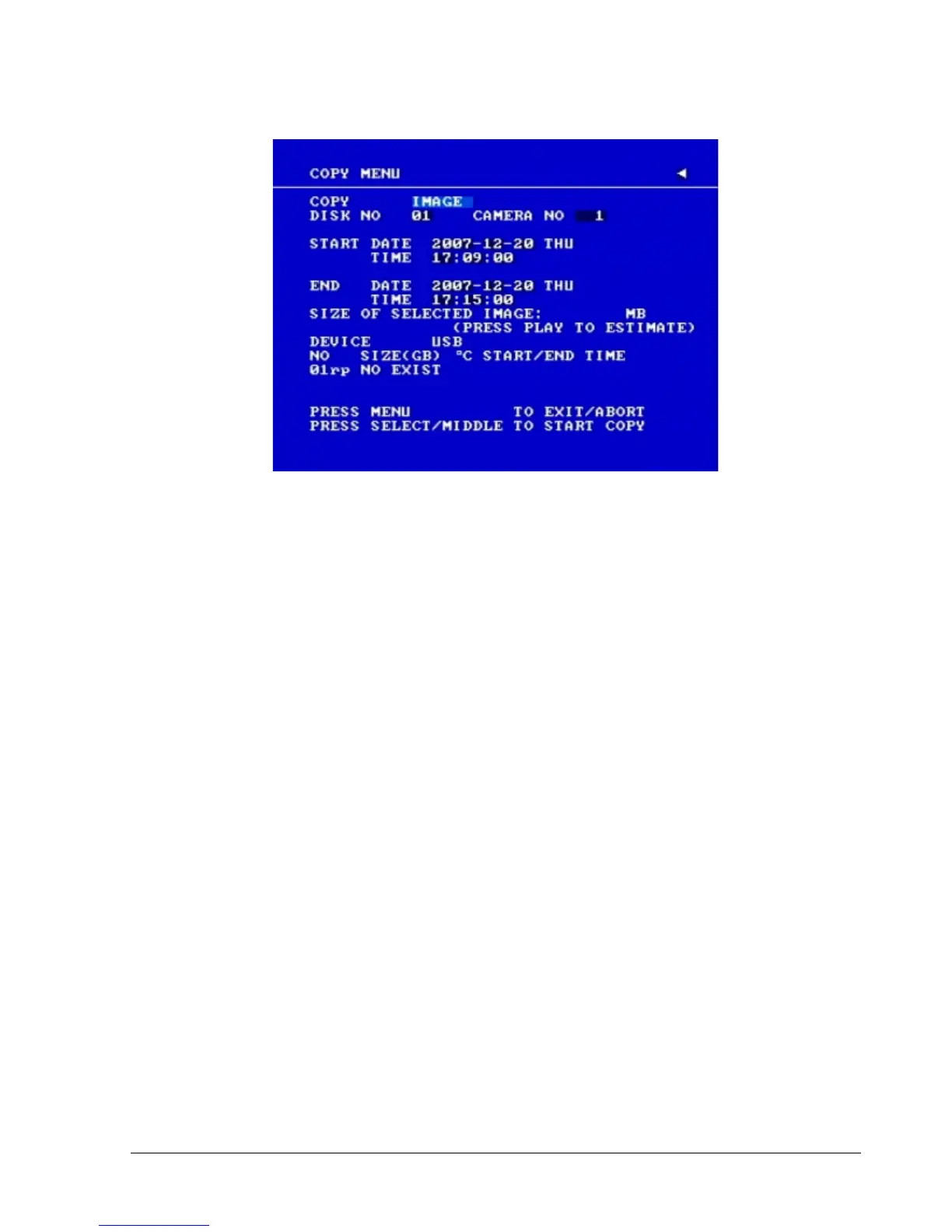
Diagram 6.1
In the COPY MENU, we define:
1. COPY
Select Image for copying images/video to movie file.
Select Viewer for copying DVR Viewer player.
2. DISK NO
Disk number you wish to copy from.
3. CAMERA NO
Camera channel number. You can select an individual camera or ALL cameras.
If you select ALL cameras while you are recording, DVR will stop recording temporarily, until
copy process is terminated.
4. START DATE & TIME: The start time of video you want to copy.
END DATE & TIME: The end time of video you want to copy.
5. SIZE OF SELECTED IMAGE: __ MB (PRESS PLAY TO ESTIMATE)
The system can estimate the file size of the selected image you wish to copy. Simply press PLAY
key after you have selected start date/time and end date/time. If file size is large, estimate time
may take a while.














 To Next Page