DreamCatcher Replay System
Page 46 Revision 1.13
4.1.2 Split Server 3 Panel Setup
Required equipment:
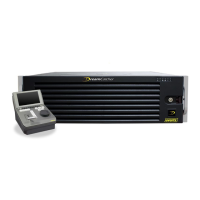
1x DreamCatcher server
3x Controllers
3x DVI cable for Multi-viewer
3x DVI cables or VGA cables
1x switch and power for switch
3x USB A to B cables
4x Ethernet cables
11x Power cables
6x Monitors
3x Keyboards
3x Mice
Procedure:
Use Figure 2-2, Figure 2-3, Figure 2-4 , Figure 4-5, Figure 4-6, 4-7, 4-8 as reference.
Dreamcatcher Server Setup
Connect all cables excluding Ethernet cables to back of the panels. See Figure 4-8.
On the server, enter the Vue menu (CTRL + E) and click on the systems widget at the bottom. See
Figure 4-2.
Add 2 servers and change the user names (i.e. Dreamcatcher Server 1, Dreamcatcher Server 2,)
See Figure 4-3 and Figure 4-4.
Change the Host name to 127.0.0.1. See Figure 4-5.
Change username to each local name (Controller 1, Controller 2, Controller 3 ) See Figure 4-5.
Panel Changes
Holding down menu on the panel, confirm you have different IP address for each of the panels
Sample IP’s, (Network Interfaces)
o Controller 1 - 100.100.100.11
o Controller 2 - 100.100.100.12
o Controller 3 -100.100.100.13
On the server entries that the controllers are connected to set the keyboard and mouse 127.0.0.1
(Local). See Figure 4-4 and Figure 4-5.


 To Next Page