DreamCatcher Replay SystemDream Catcher
Revision 1.13 Page 51
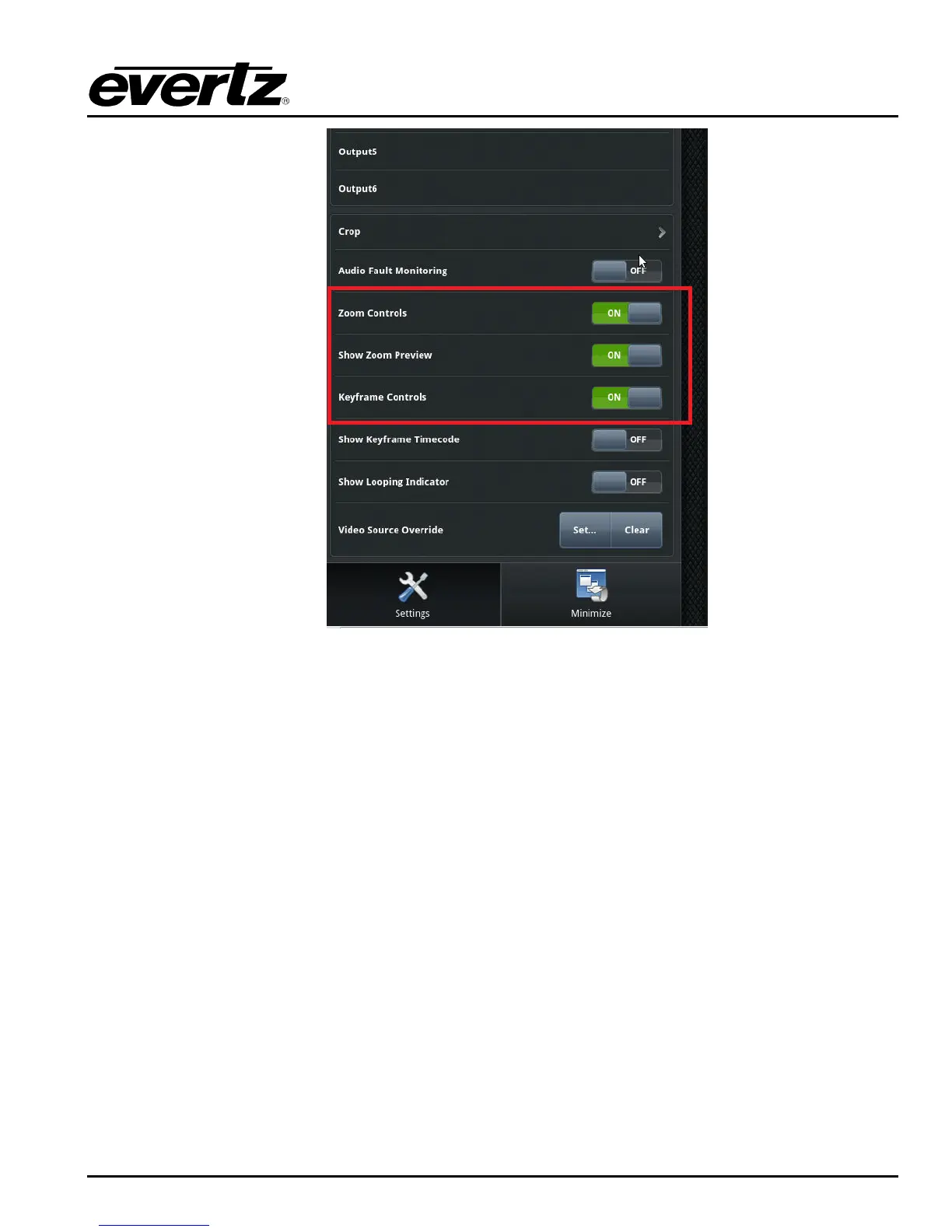
Figure 5-3: Zoom control Settings
Once you have set the output settings you can begin using the zoom feature. See Figure 5-
4.
The zoom features are listed below: See Figure 5-4 for Output Window View.
1. 4K Output Window
Displays the video that is currently playing from the record train.
2. Zoom and Tracking Window
The center of this window will be the focal point of any video zooms that are created.
Each time you drag the window to a different location, a keyframe will be added to the
created path.
3. Zoom Levels
Zoom in on video by percentages ranging from 100% up to 600%.
4. A/B Tracking
Create up to two tracked paths and use this button to switch between them.
5. Smooth Tracking
There are three settings to adjust the tracking line.


 To Next Page