DreamCatcher Replay System
Page 50 Revision 1.13
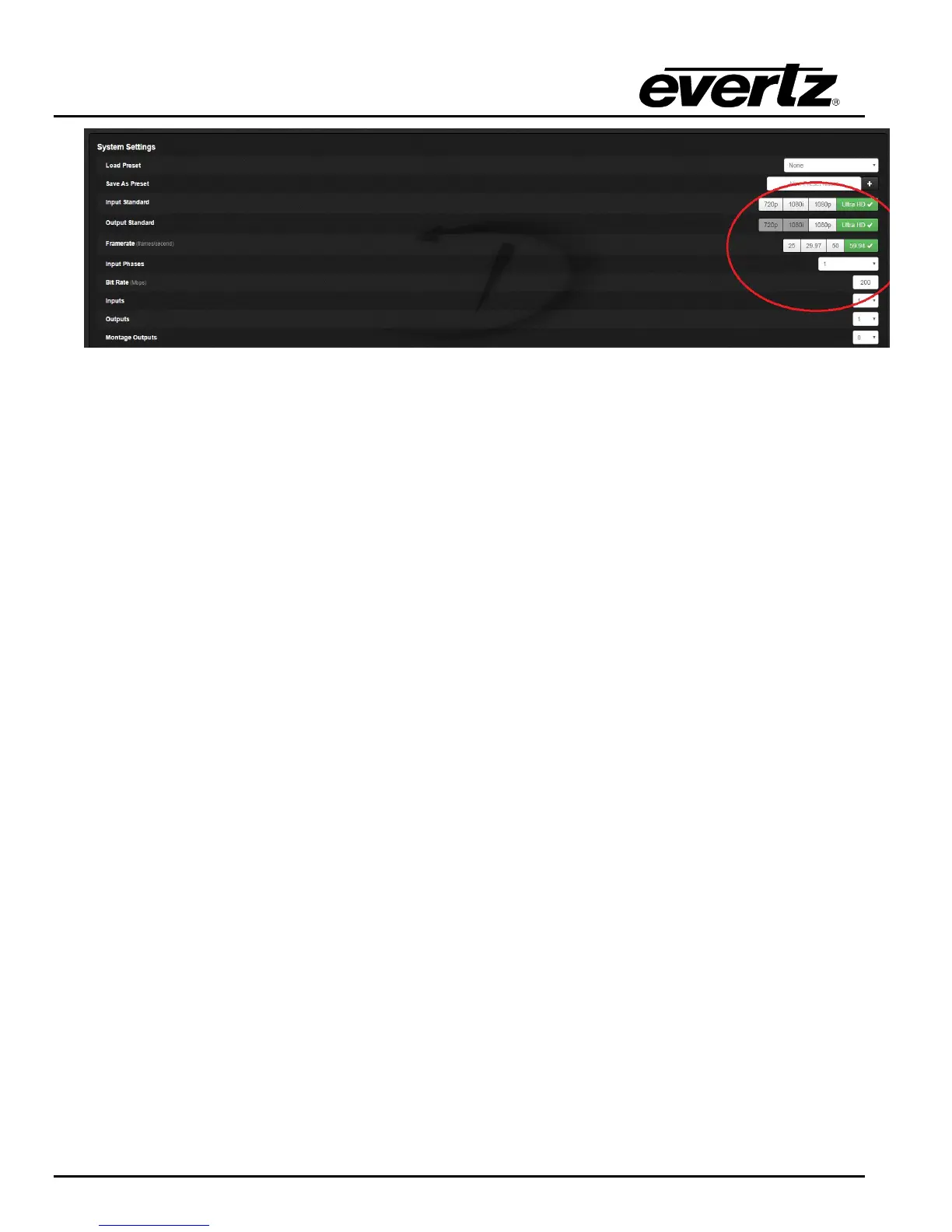
Figure 5-2: DreamCatcher Web Configuration
5.1.1 Using Dreamcatcher in 4k mode
To load the „4K‟ Dreamcatcher layout, press ‘Ctrl + e’ on the keyboard to open the „VUE Settings‟
dialogue (see Figure 3-13)
Select „Load Layout‟ and double click the „4K‟ layout
5.1.2 4K Zoom Output
In this mode you can use the DreamCatcher output as a zoom option for content. This feature can
also be used in 2k format. With 4k zoom output the output standard should be set to 1080p.
To load the Zoom layout, press ‘Ctrl + e’ on the keyboard to open the „VUE Settings‟ dialogue
Enter Output 1‟s settings menu and turn on Zoom Controls, Show Zoom Preview, and
Keyframe Controls. See Figure 5-3.


 To Next Page