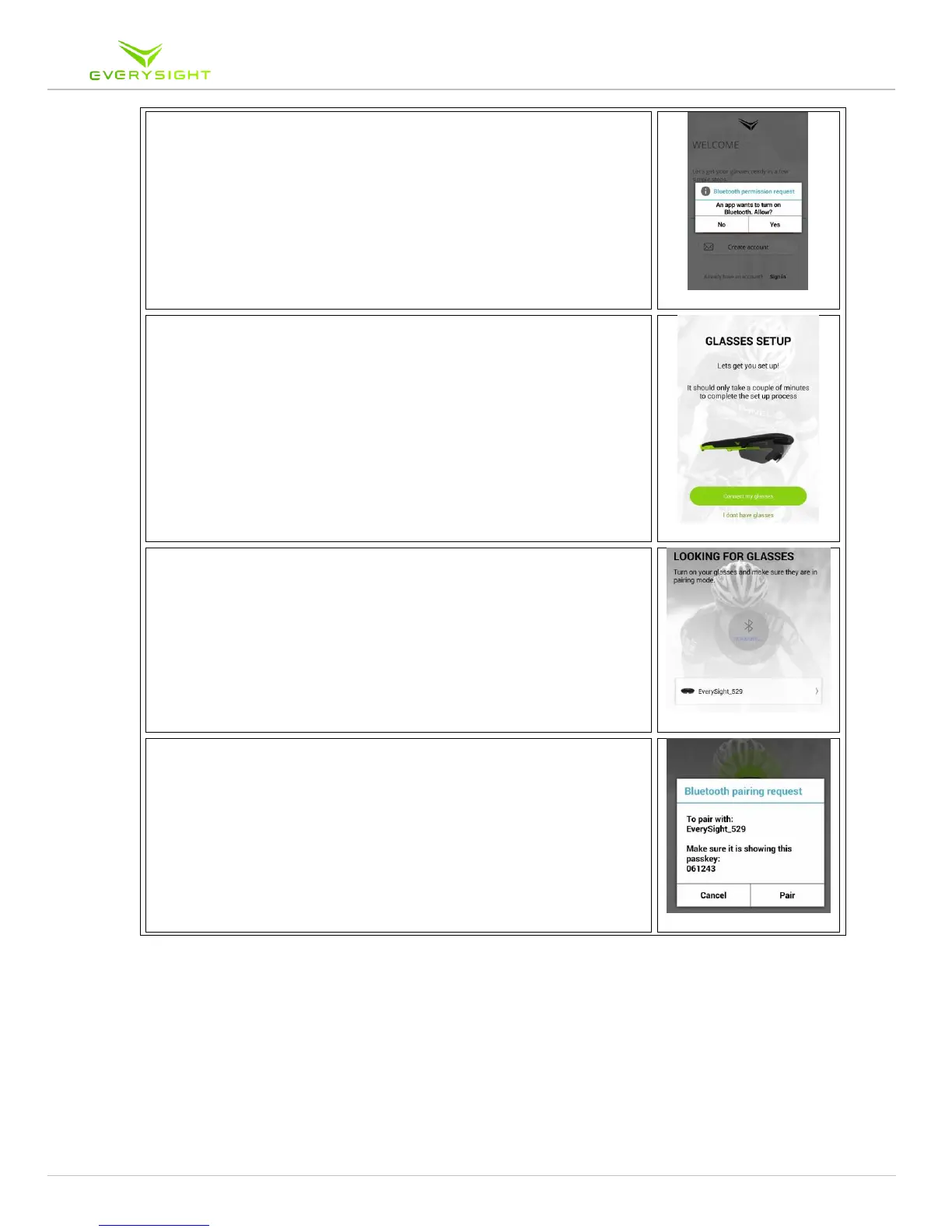
4. On your iPhone go to Settings > Bluetooth. Look for a
device called Everysight_XX. In this example we see
Everysight_529.
5. If there is more than one Raptor device present, make sure
to choose the device with the identification number that is
displayed in your Raptor device's BEAM
tm
display.
6. Tap on your device to start the pairing process.
7. When prompted, tap Pair to connect your Raptor device
to the App, and complete the Bluetooth pairing step.



 To Next Page