NOTE
When the LSMRemote is locked for playout, recall operations from
LSMConnect are denied for record trains, clips or playlist items.
Whenever a command is denied, a notification will appear in the top left of the
LSMConnect interface: "Loading media XXXX on controlled PGM failed."
Recalling a Playlist via the Playlist Tab
• To recall a playlist from the playlist tab in Playlist Headers view, double-tap or click
the playlist you want to recall:
• To recall a playlist from the playlist tab in Playlist Details view, double-tap or click the
playlist header at the top of the tab:
74 4. Playlist Management
EVS Broadcast Equipment SA Issue 2.12.D- April 2020


 To Next Page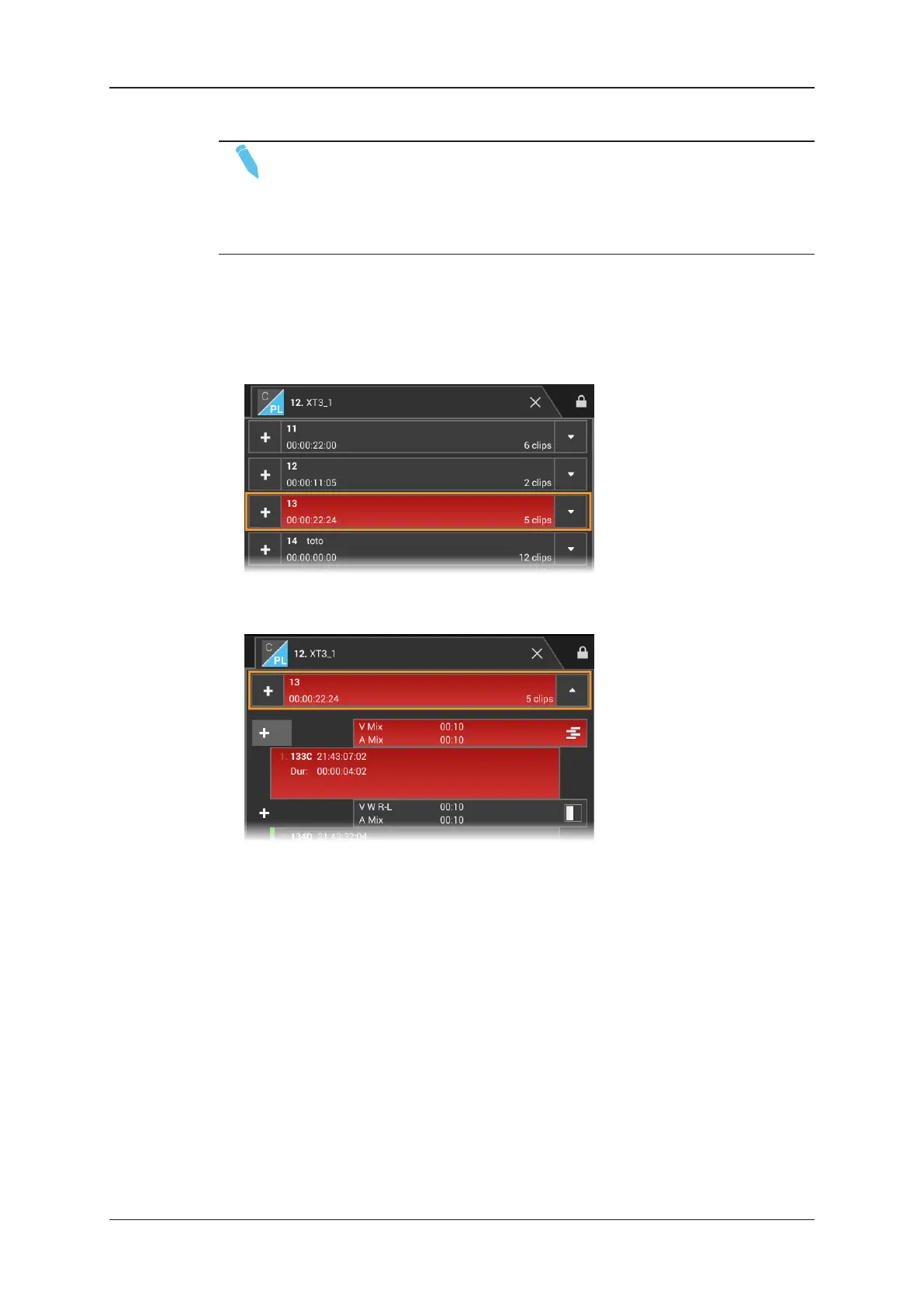
![Preview: EVS XT[2]](https://data.easymanua.ls/products/617905/200x200/evs-xt-2.webp)