+1.317.845.5710
+44.1438.310163
USA (Corporate Headquarters)
Europe/Middle East/Asia
47
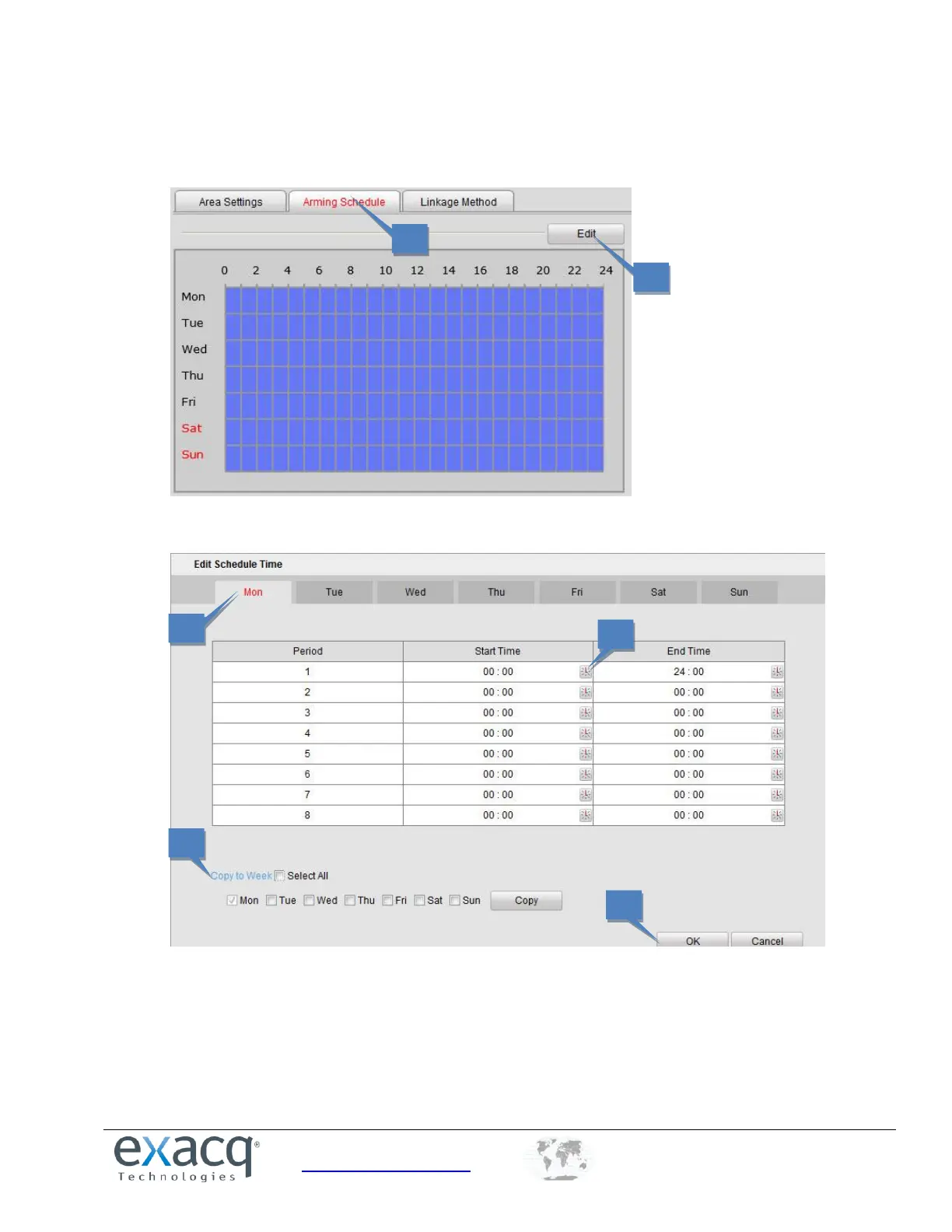
Set the Arming Schedule for Motion Detection
1. Select the Arming Schedule tab.
2. Click the Edit button to open the Edit Schedule Time window.
NOTE: The time of each segment cannot be overlapped. Up to eight segments can be configured for each day.
The Holiday option is available in the Schedule drop-down list after you have enabled a holiday schedule in
Holiday settings.
3. Choose the day you for which want to set the arming schedule.
4. Click the clock buttons to set the time period for the arming schedule.
5. Copy the schedule to other days, if desired.
6. Click the OK button to save the settings.



 To Next Page