E-7
Preparing The Machine For Operation
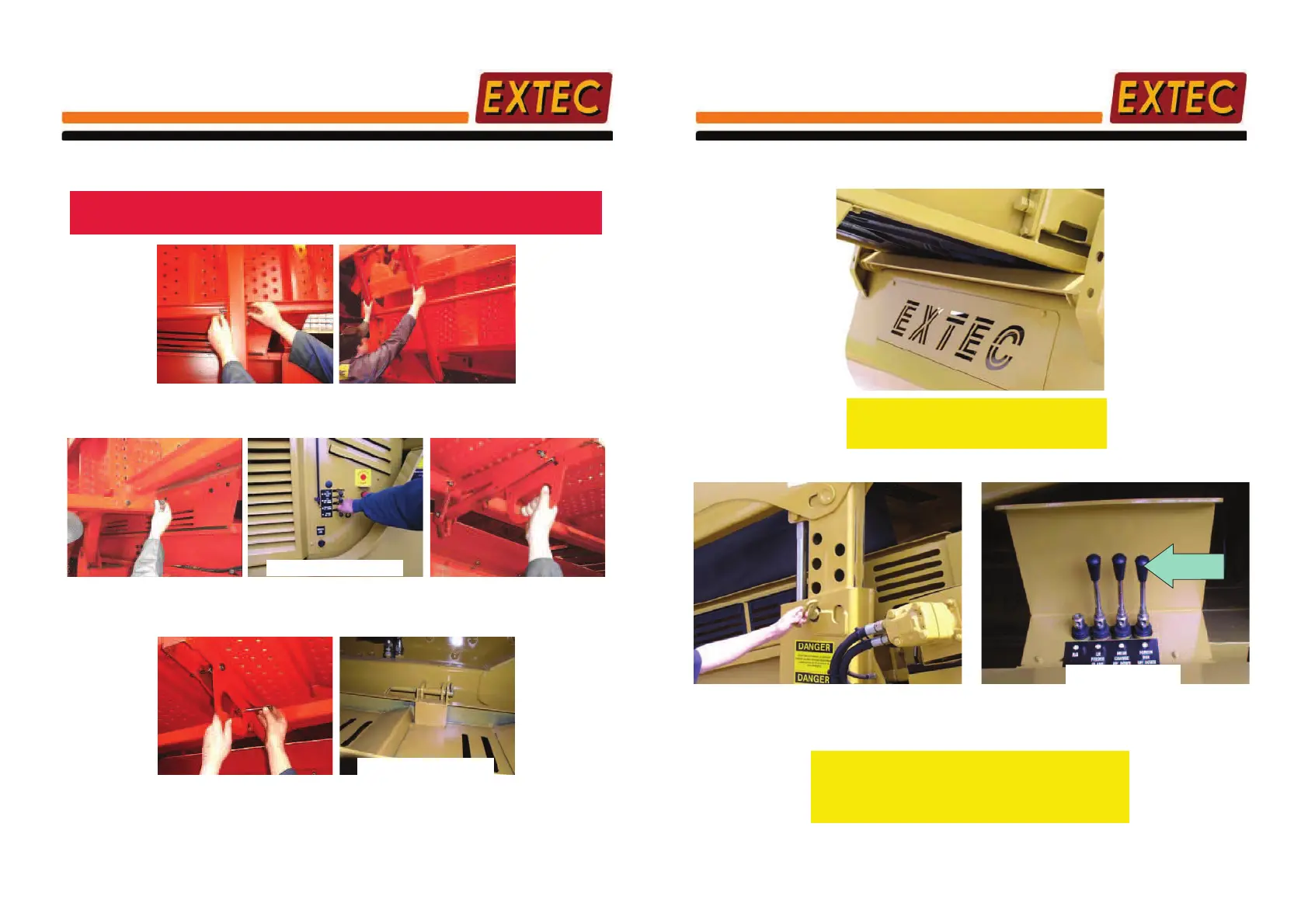
Opening Walkways
Note: Before carrying out the following procedure ensure walkways are clear
as both walkways wil erect at the same time.
1. Remove "R" clips & handrail
retention pins
2. Lower handrail frame
L/H Side of Powerpack
3. Re-insert pin & "R" clips to lock
out handrail
4. Activate 'Walkways up/down' lever
to erect the walkways
5. Pull back and drop down walkway
locking device
Non-Ram End
6. Insert pins & retain with "R" clips
to lock the walkway
7. At the non-ram end insert top pins
and retain with "R" clips to lock the
walkway
Section 3 Page 17
E-7
Preparing The Machine For Operation
Setting Screenbox Height
NOTE:- Before setting the Screenbox height
ENSURE that Tail Conveyor is in
lowered position as shown above
1. Remove pin from tele-legs 2. Activate 'Screenbox Up/Down' lever
3. Set Screenbox to an appropriate
pre-defined height and replace
pins.
Screenbox
Up/Down
L/H Side of Power Pack
Section 3 Page 18



 To Next Page