Section 929
GARMIN GTN 635/650/750
929 - 10 Page Date: 20. January 2016
Pilot´s Operating Handbook
EXTRA 300L
929.7.4 REMOTE TRANSPONDER OPERATION
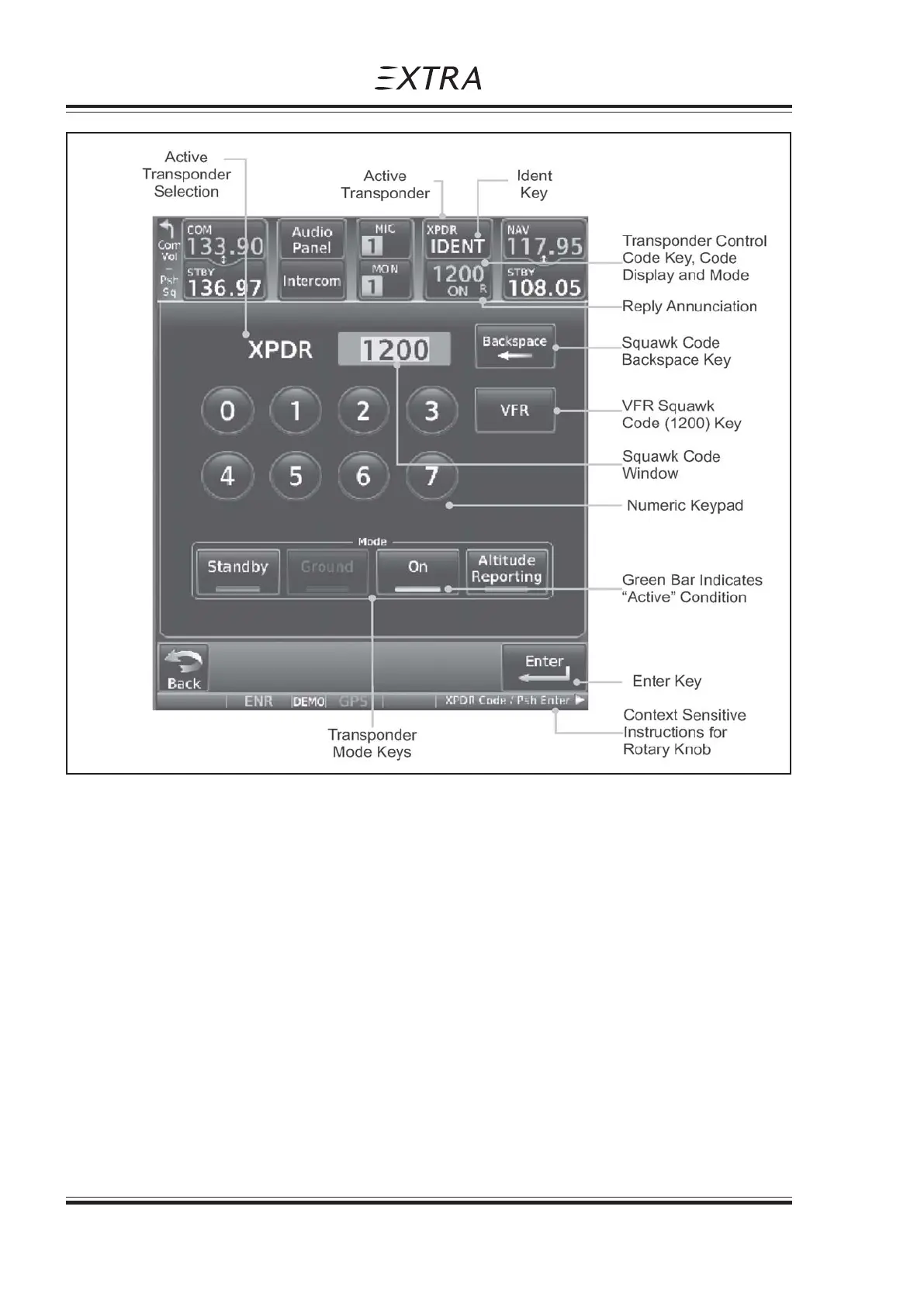
Optionally, a remote transponder (GTX 33) can be controlled via the GTN 635/650/750 unit. Touch
the transponder window to enter the transponder operation page. See figures 3 and 4 for the GTN
6xx and the GTN 750 respectively.
IDENT
1. Touch the IDENT key once to reply with an identifying squawk code.
2. The IDENT key text will change to green to indicate active Ident.
Figure 4, GTN 750 XPDR Operation



 To Next Page