Section 929
GARMIN GTN 635/650/750
Page Date: 20. January 2016 929 - 13
Pilot´s Operating Handbook
EXTRA 300L
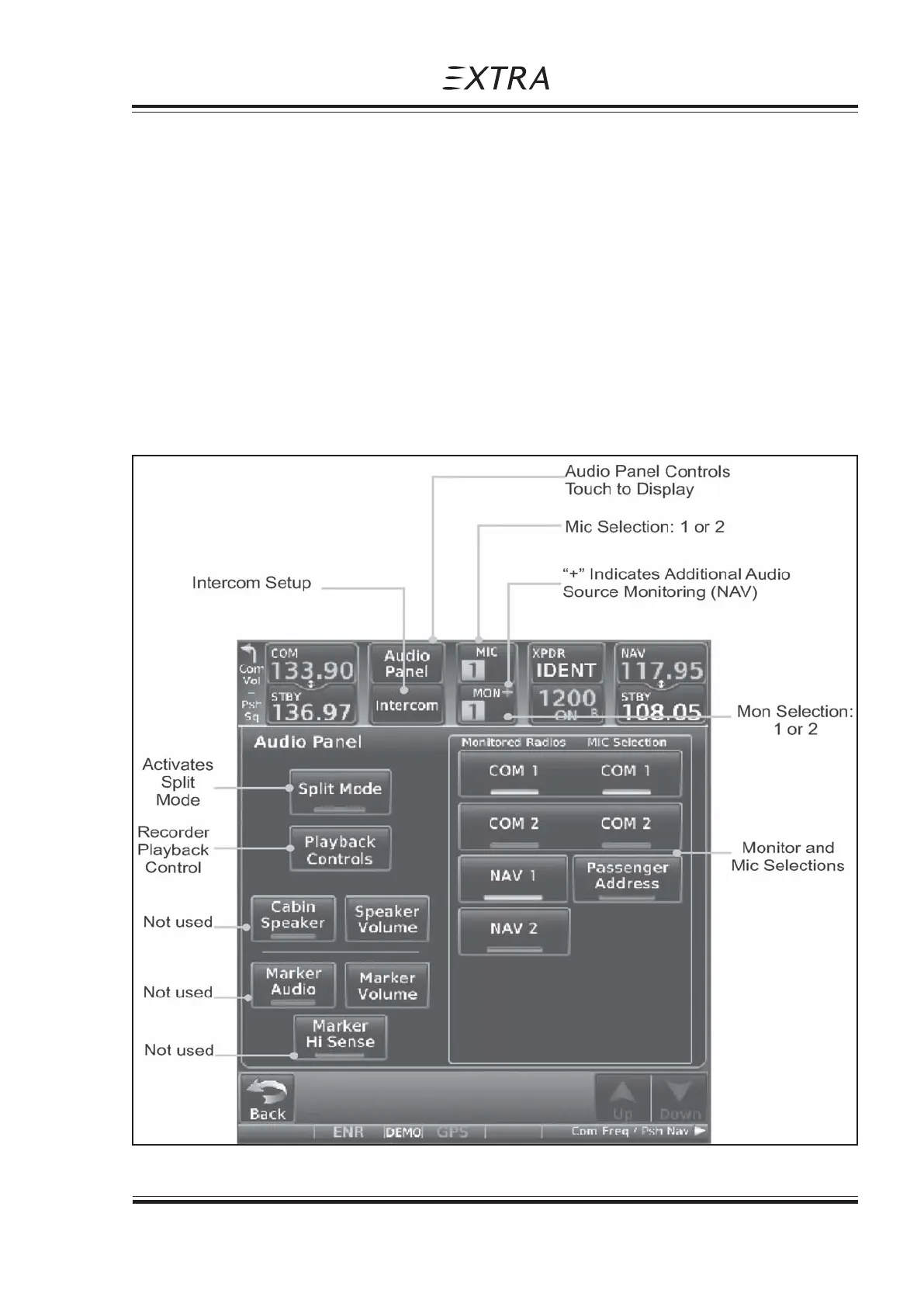
Figure 5, GTN 750 Audio Panel Operation
2. Touch the Mon key to toggle between the automatically selected monitored channel (selected
Mic) and the other available channels.
AUDIO SPLIT MODE
1. While the Audio Control page is displayed, touch the Split Mode key to display Crew Intercom
selections.
2. Touch the Split Mode key again to toggle the Crew Intercom selection off.
3. Touch the Crew Intercom key to toggle activation of the Crew Intercom allowing the Pilot and
Co-Pilot to talk to each other.
4. Touch the desired Pilot and Co-Pilot Radio selections.



 To Next Page