DXP HD 4K PLUS Series • Operation 23
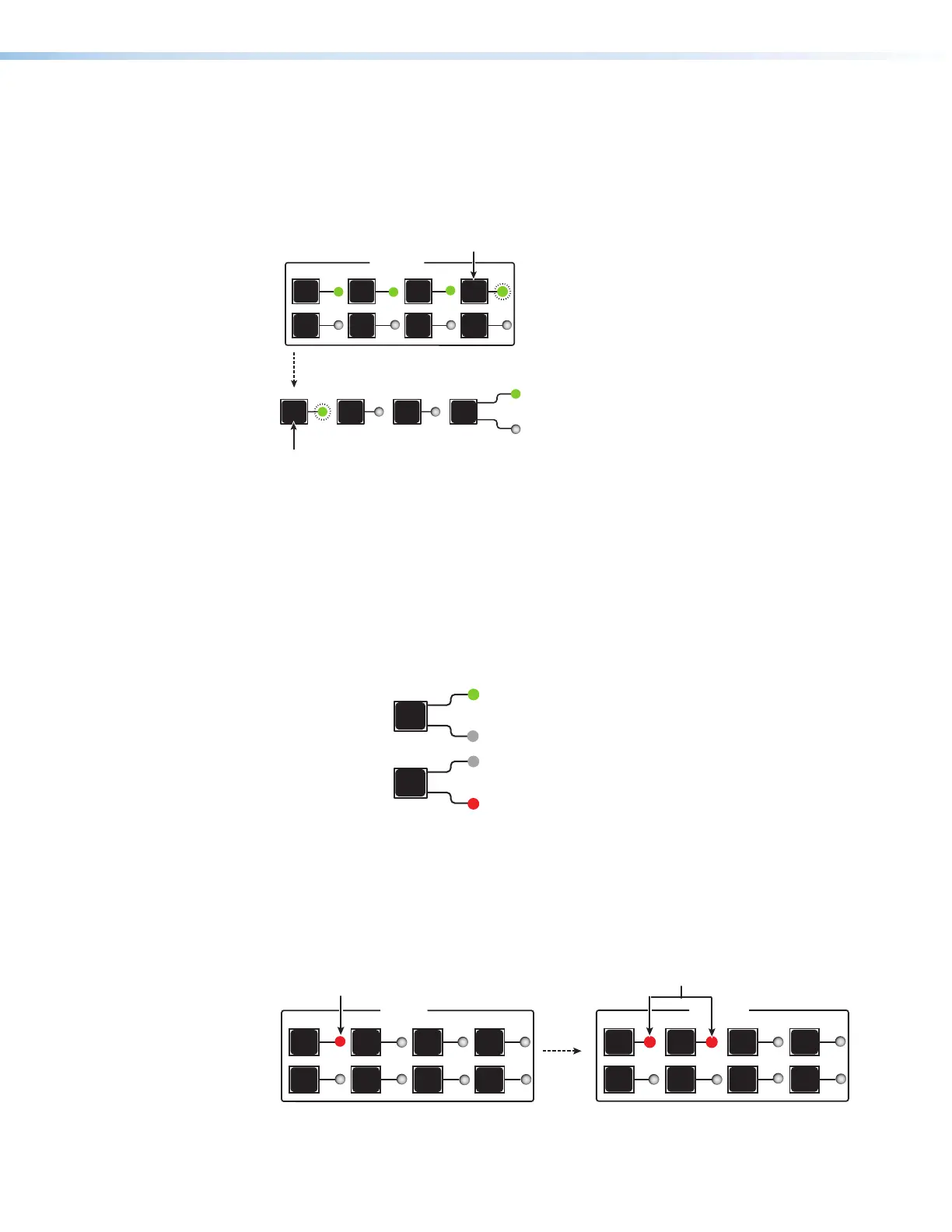
4. Press and release the button for the output to be added to the tie. The LED for the
selected output button blinks green (for video only, see figure 16) or red (for audio only)
to indicate that the selected input is being tied to this output.
In addition, the Enter button LED blinks green.
PRESET ESC I/O
VIDEO
AUDIO
OUTPUTS
1
5
2
6
3
7
4
8
Press and release the Output button to be
added to the tie.
The LED blinks green to indicate that the
selected video input is being tied to this output.
Enter button LED blinks green to
indicate the need to confirm the change.
Figure 16. Selecting an Additional Output (Video)
5. Press the Enter button to confirm the tie. All button LEDs become unlit.
Removing a tie from a set of ties
To undo an existing I/O tie:
1. Press and release the Esc
button to clear any previous selections.
2. Press the I/O button repeatedly to select the type of tie you want to break (green for
Video, red for Audio).
I/O
ess I/O button to
Lights green
I/O
AUDIO
Lights red when audio is selected.
Figure 17. Selecting Audio or Video using the I/O Button
3. Press the input button whose tie you want to break. The input button LED and its tied
output button LEDs light red (audio) or green (video), depending on your selection in
step 2 and on the types of ties the selected input currently has.
Figure 18 shows an example of selecting an audio-only tie to break.
INPUTS
1
5
2
6
3
7
4
8
OUTPUTS
1
5
2
6
3
7
4
8
Press and release an Input b
utton.
The LED lights to indicate whether audio or
video w
as selected for the input.
The LEDs for any outputs already tied to the selected input
light to indicate the existing video ties (audio in this e
Figure 18. Selecting an Input
16
17
18













 To Next Page