Quantum Series Videowall Processing Systems • Installation and Maintenance 29
Connecting composite video sources
• Input connectors: The Video/S-video input card contains two female 26-pin D type
connectors, to which the breakout cables are attached for composite video or
S-video.
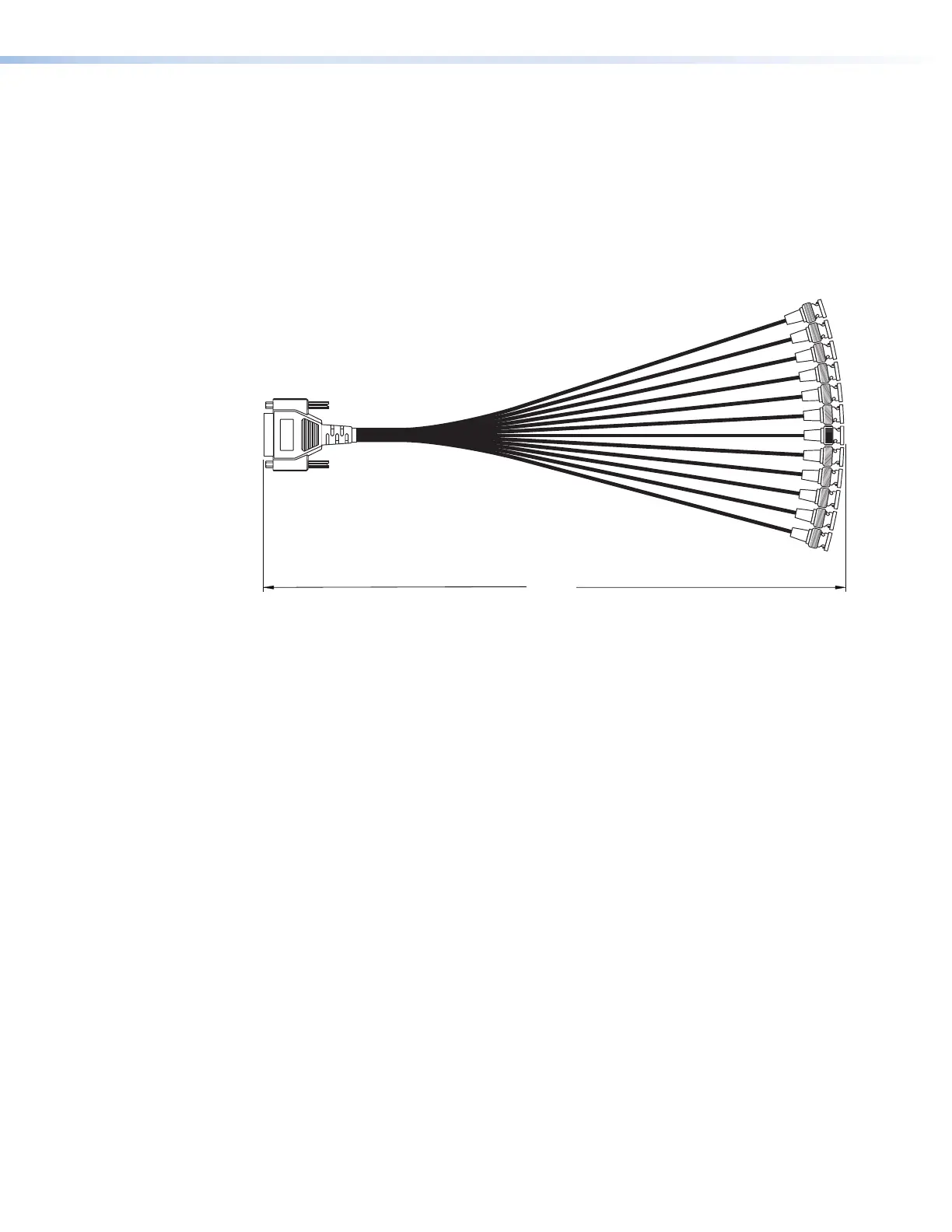
• Breakout cables (adapters): Each of the two provided breakout cables has a male
26-pin, high-density, D-type connector attached to 12 flying leads terminated in BNC
connectors (see the figure 20 on the next page). The BNC connectors are labeled
1 through 12. (The second breakout cable, if connected, is used only for S-video
connections.)
16"
26 Pin D
Connector
Female BNC Connectors
Figure 20. Breakout Cable for Video and S-video Sources
• Cables: The recommended cable type to connect a source device to the breakout
cable is a low-loss 75 ohms coaxial cable. Cabling distance between the source and
the Video/S-video input card can be up to 32 feet (10 meters).
To connect composite video sources to the Video/S-video input card:
1. Connect the 26-pin D connector of the breakout cable to the top connector on the
Video/S-video card. (The bottom connector is used only for S-video sources.)
2. Connect a BNC cable from each composite video input device to one of the BNC
connectors of the breakout cable, starting with the connector labeled 1 (or the lowest
numbered BNC connector available).
Connecting S-video sources
To connect S-video sources, use both provided breakout cables and both connectors on
the Video/S-video input card, as follows:
1. Connect both breakout cables to the 26-pin D connectors on the Video/S-video input
card.
2. Connect a BNC cable from an S-video input device to the lowest-numbered BNC
connector available on both breakout cables, as follows:
• Connect the Y (luma) cable of the source to the breakout cable attached to the
top D-type connector on the Video/S-video input card.
• Connect the device C (chroma) cable of the source to the breakout cable
attached to the bottom connector on the card.
• Ensure that the Y and C cables of the S-video device are attached to the BNC
connectors with the same number on both breakout cables.



 To Next Page