BEISSBARTH MT 870 / MT 880
7-4
Press Action-Center
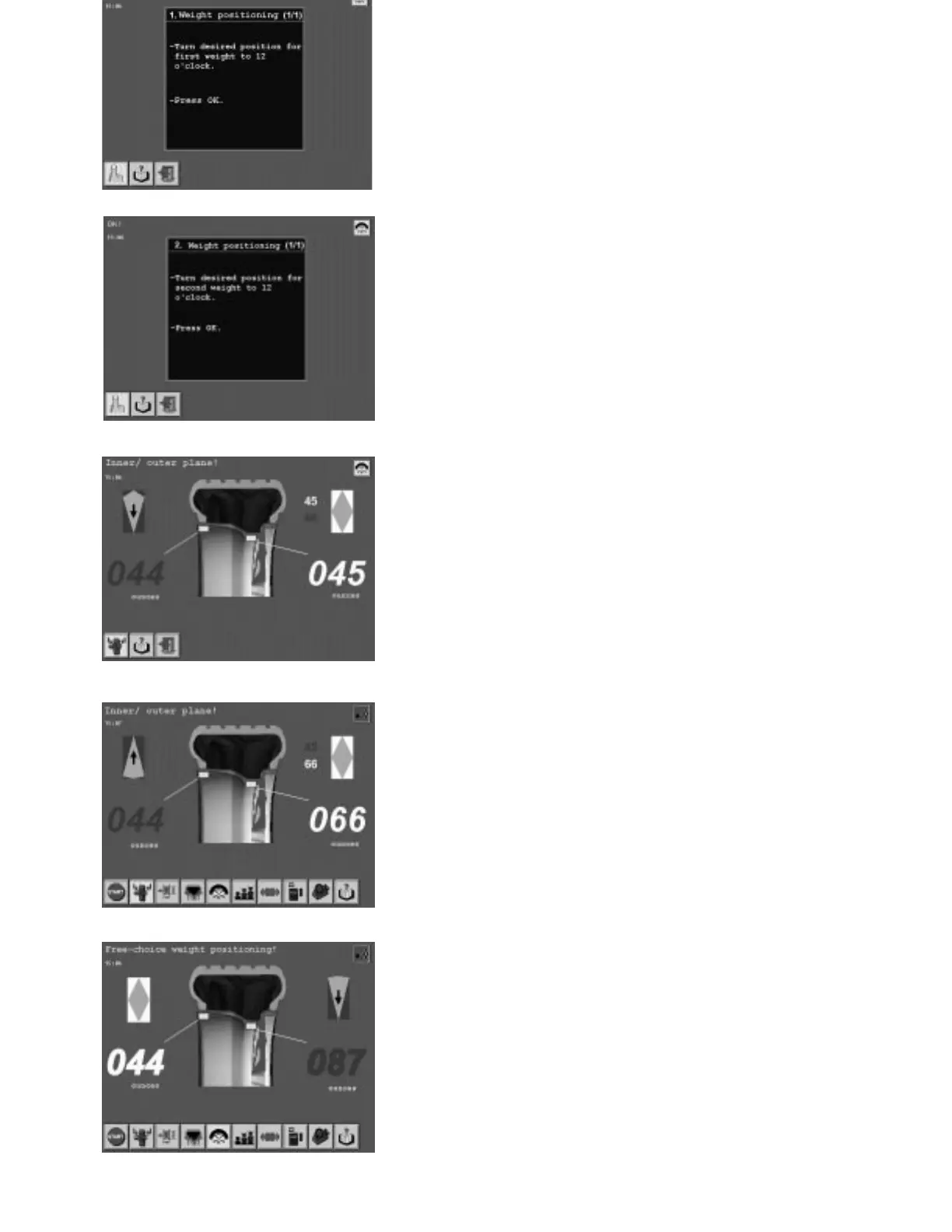
Turn by hand to the desired positions of the two
(split) balancing weights on the wheel at 12 o’clock.
Note:
To facilitate turning in to the desired weight position,
the wheel is slowed slightly for a short time during
the procedure.
By pressing the Action-Center the wheel will auto-
matically turn to the first split weight position.
On the screen (=1st balancing plane) the two split
gram (weight) displays are indicated in the plane by
small figures with the green turn-in arrow.
The relevant 1st split balancing weight is shown in
green, the 2nd split balancing weight in red.
Adjust 1st split balancing weight (displayed in
green).
Press Action-Center.
The wheel automatically turns to the 2nd split weight
position. The corresponding 2nd split balancing
weight changes colour from red to green.
Adjust 2nd split balancing weight now displayed in
green.
Press Action-Center.
The 2nd balancing plane is then shown on the screen
with green turn-in arrow.
Depending on requirements, the standard balancing
method or the balancing mehtod with free weight
positioning (as described above) can be carried out.



 To Next Page