Mt 880/870/En/Rev. 002/05/98 * 901.882.002
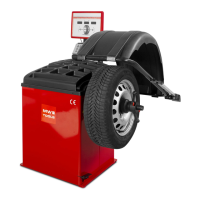
BEISSBARTH MT 870 / MT 880
7
CONTENTS
Chapter Item ...........................................Page:
1 Technical data ................................................1-1
2 Safety precautions and start-up procedure .........................2-1
Setting up the machine ...........................................2-1
Change of machine’s location ......................................2-1
Installing the wheel guard ........................................2-2
Assembling the monitor ..........................................2-2
3 Brief description ..............................................3-1
Control elements, screen buttons and symbols ..........................3-1
4 Preparatory work .............................................4-1
Clamping the flange ............................................4-1
Clamping wheel on to flange ......................................4-1
Description of flanges ............................................4-2
Checking wheel and tyre .........................................4-7
5 Choice of balancing method .....................................5-1
6 Wheel data input ..............................................6-1
1.) Input with position measuring arm and rim width sensor ................6-1
2.) Input with concealed adhesive weight ..............................6-2
3.) Manual wheel data input with the Action Center ......................6-3
7 Balancing procedure ...........................................7-1
Balancing method when using concealed adhesive weights .................7-3
Balancing method with free weight positioning ..........................7-3
8 System settings ...............................................8-1
Suppression and rounding-off inputs for weight display ....................8-1
Weight unit ...................................................8-1
Choice of language .............................................8-1
Date and time settings ...........................................8-2
Selecting dimensions of adhesive and drive-on weights ....................8-2
Switching matching suggestion on/off ................................8-2
9 Special functions (service) .......................................9-1
Match program ................................................9-1
Flange calibration ..............................................9-2
Calibration with weight ..........................................9-2
Visual check ..................................................9-3
Version display .................................................9-3
Service diagnosis ...............................................9-3
10 Maintenance and upkeep instructions ............................10-1
11 Fault code displays ...........................................11-1
A Appendix
Mains connection chart ...........................................A-1
Motor connection chart ...........................................A-2
Frequency converter connection chart ................................A-3
Declaration of conformity .........................................A-5



 To Next Page