Mt 880/870/En/Rev. 002/05/98 * 901.882.002
BEISSBARTH MT 870 / MT 880
9-1
SPECIAL FUNCTIONS (SERVICE)
Activate the “Special functions” screen
button by pressing the Action Center.
The screen page with special functions
will appear, with a menu strip.
Match program
Note:
Above a static wheel imbalance component of 30 grams, matching is recommended in order to com-
pensate for vertical runout and lack of uniformity.
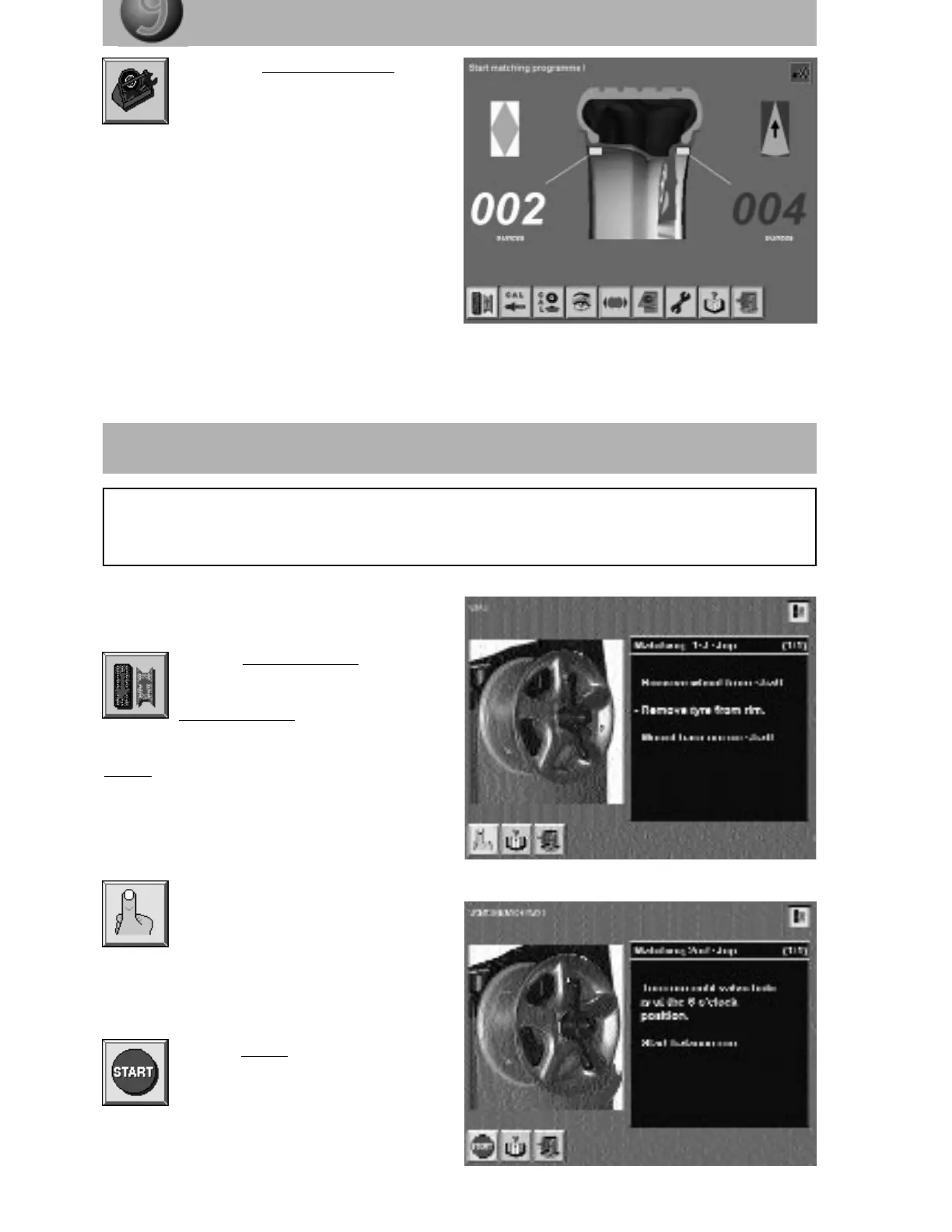
Mark the “Start matching” screen but-
ton with the Action Center and press
it to obtain the screen page:
Matching Step 1.
To ensure accurate matching, always comply
exactly with on-screen matching instructions.
To move on to the next matching step, activate
the “OK” screen button with the Action Center.
Mark the “Start” screen button with the
Action Center and press to start the
matching routine.



 To Next Page