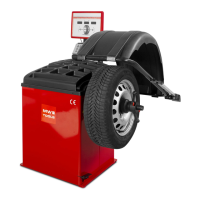
BEISSBARTH MT 870 / MT 880
11 -2
processor does not pull the tear line if a
fault occurs.
9. The calibrating values are implausible and
NO T saved!
The machine must be recalibrated!
10. Status error from the bus processor,
balancing processor or Action-Center.
11. Error initiating the EEProm.
The machine is running with CD Rom
default data and cannot be calibrated.
12. The balancing processor has detected an
internal programme error.
13. The inner sensor arm is incorrectly adjusted
and is giving incorrect values.
14. The outer sensor arm is incorrectly adjusted
and is giving incorrect values.
15. Fault reported by frequency converter.
16. The motor control is defective.
17. A problem occurred during the balance
cycle.
Please repeat the balance cycle.
Contact Beissbarth Service
Possible causes:
No or wrong weight used (60-grammes clip-
on weight required), weight not attached on
the outer plane, weight not placed at 6 o'clock
position, the unbalance of the wheel is to high
for calibrating ("Zero" balanced wheel required!
Contact Beissbarth Service.
Check software version of the CD ROM
loaded.
Contact Beissbarth Service
When switching on the machine, make sure
that the inner sensor arm is in the rest position.
Contact our customer service in the event of
further errors.
When switching on the machine, make sure
that the outer sensor arm is in the rest position.
Contact our customer service in the event of
further errors.
The frequency converter is reset automatically.
Any overloading of the frequency converter is
eliminated following this report.
If this fault should recur, please switch the
machine off and on again.
If the fault persists, consult Customer Service.
If the problem persists, switch off and then on
again at the mains. If the problem still
persists, contact customer service.
If the problem persists, switch off and then on
again at the mains. If the problem still
persists, contact customer service.



 To Next Page