14
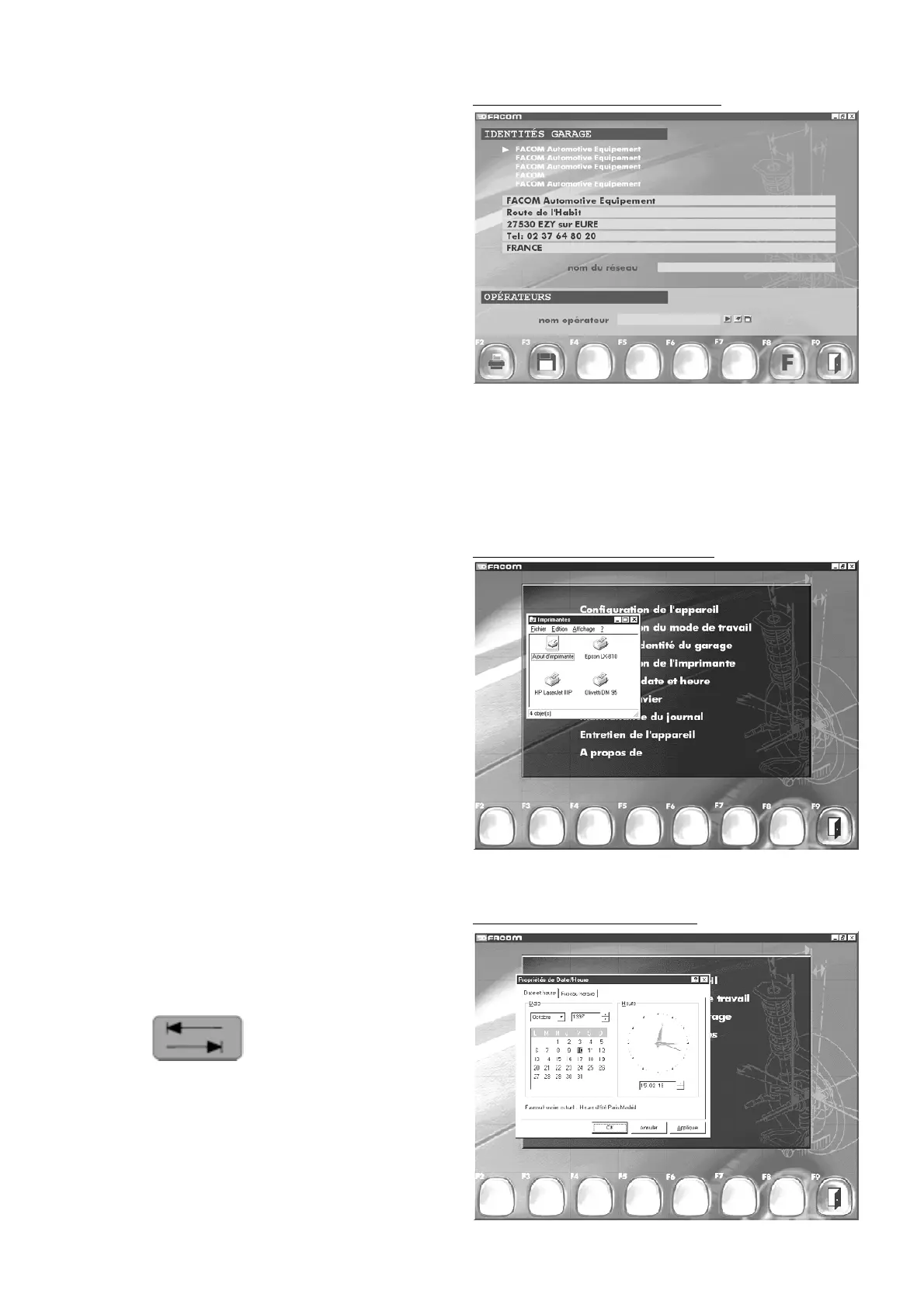
8.4 Printer configuration
- Validate using the Enter key.
- Select the printer in the list.
- Open the file box by pressing Alt and "F" simultaneously.
- Move the "
Default selection
" using the arrow keys.
- Accept by pressing Enter.
- Close the "
Printers" window
by pressing Alt and F4 simultaneously.
8.5 Update Day / Hour
- Validate using the Enter key.
- Move to the selection with the
"Tabulation " key on the keyboard.
- Change the values with the keyboard.
- Use the tabulation key to move to the "OK" button.
- Press Enter to save and quit the menu.
Other functions. (printer configuration)
Other functions. (update Day / Hour)
8.3 Garage identity input
You can set up to five different garage identities.
The first one will be displayed on the first screen of the main unit
and printed out on the ticket (if no other choice is selected).
The others can be printed if selected.
"F2" "
Print garage identity
"
"F3" "
Save garage identity
"
"F8" "
Return to function menu
"
"F9" "
Return to main menu
".
Other functions. ( garage identity input)



 To Next Page