23
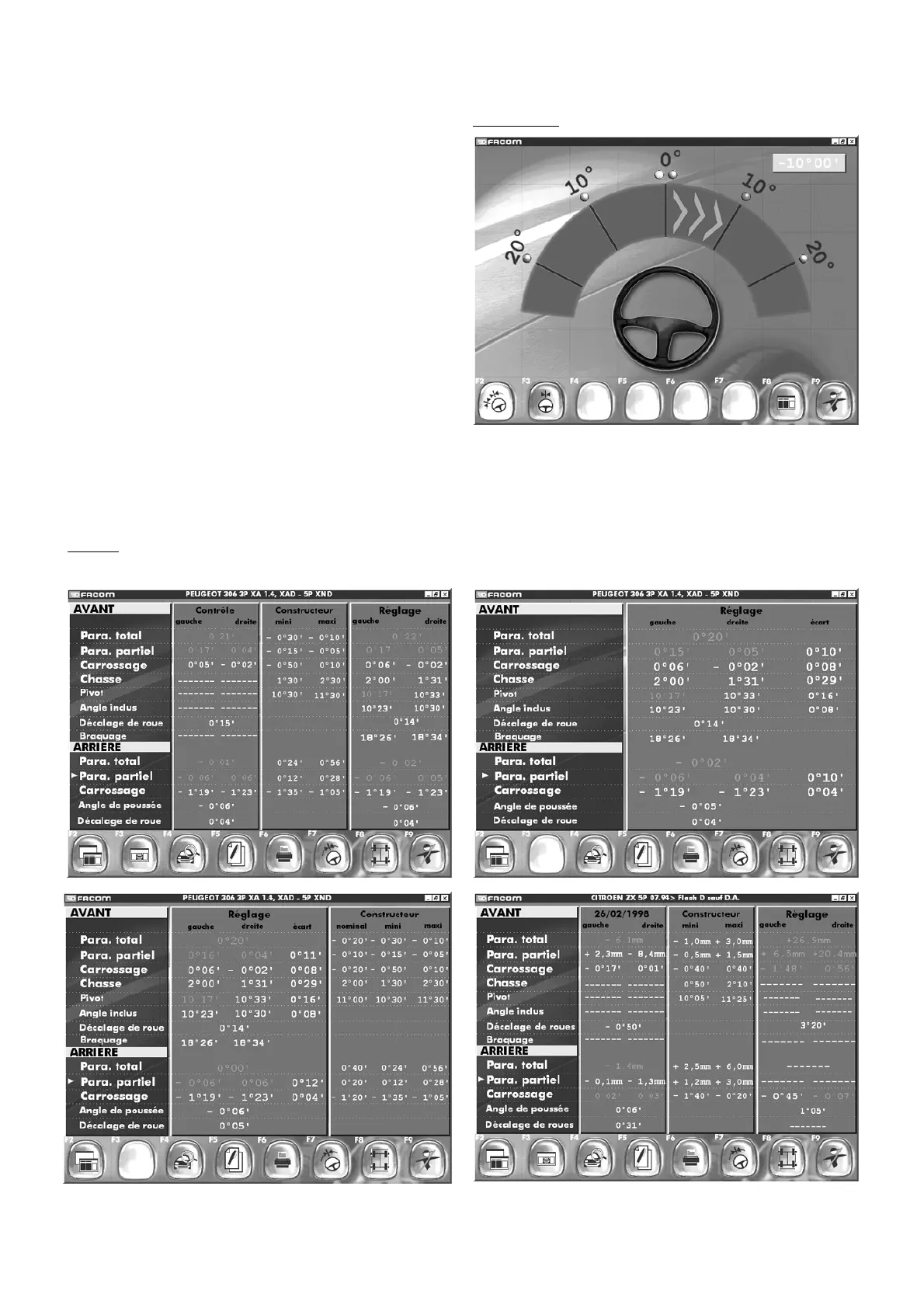
10.7 Steering test
Follow the instructions on the screen.
The 20° option carries out measurements in two phases:
at 10° for measurement of the castor and pivot angles,
and then at 20° for measurement of steering
differences.
In this screen, the target indicates the direction in which to turn
the wheel.
"F2" "
Steering angle selection\n 10° or 20°
"
"F3" "
Centre steering
"
"F9" "
End inspection
"
Put the pedal press in place and level the heads.
Carry out the left and right steering sequences and then centre as
shown by the target.
On returning to the centre position, the switch of the display to the
results screen is automatic. You obtain an identical screen to the
one
for wheel alignment and camber results, plus the readings for castor
and pivot angles. Function key assignments are unchanged.
By inspecting a vehicle selected in the inspection log, you will obtain
the readouts for the previous inspection and the date of execution.
Steering test
Results
Numerous results display possibilities exist. Use F2 and F3 to select the one you want.



 To Next Page