18
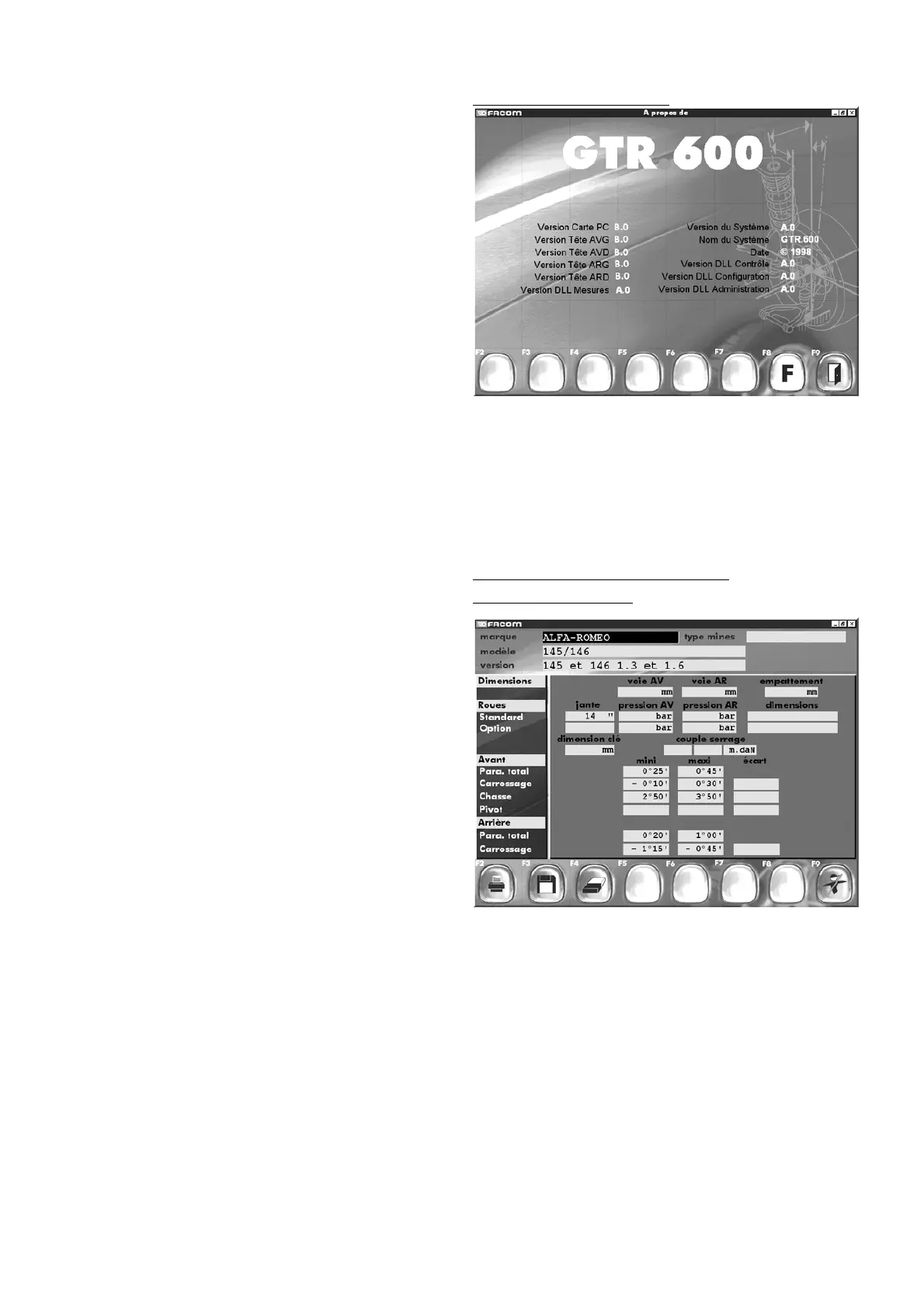
8.9 About
Informations about the main unit
- Programme version.
- Board version.
- Software version.
- Etc...
If you encounter any problems, you will need to give all this infor-
mations to the After Sale Department.
Other functionsmenu. (About)
9 - Addition or modification of vehicle
(in personnalized database)
In the screen “
Selection of a vehicle in the manufacturer
database
” you can choose a vehicle you wish to add to your
bench’s personalized database or choose to modify a vehicle
included in that database.
Make your selection using the arrow keys on the keyboard, and
confirm the choice by using F3.
"F2" "
Print manufacturer data
"
"F3" "
Save vehicle
"
"F4" "
Delete vehicle
"
"F9" "
End checking
"
In this screen you can:
save the data for the vehicle and record it as such in the
personalized database,
or you can modify the data and create a vehicle not present in
the manufacturer database but which matches your particular
needs. Save this information by pressing F3.
Addition or modification of vehicle.
(in personnalized database)



 To Next Page