11
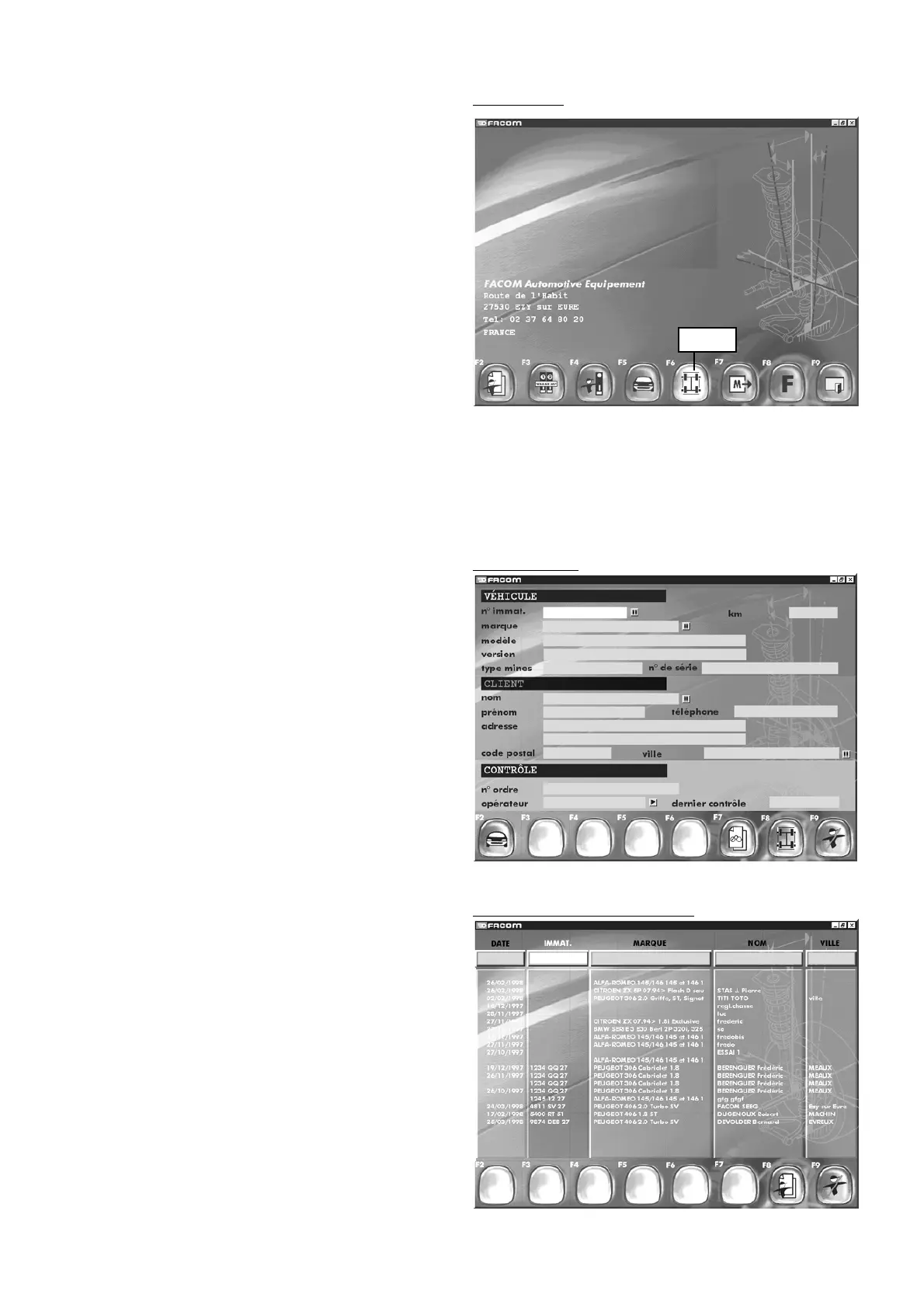
7 - Main screen
Command descriptions.
"F2" "
New customer
"
"F3" "
Search by vehicle registration
"
"F4" "
Search by customer
"
"F5" "
Vehicle choice
"
"F6" "
Measurements"
"F7" "
Preceding measurement context reminder
"
"F8" "
Other functions
"
"F9" "
System shutdown
".
Main screen
Measures
Information to show the function.
7.2 Data retrieval by vehicle registration
Press "F3"
Search by registration number.
"F8" "
Customer identification
"
"F9" "
End inspection
".
7.1 New customer
Press "F2"
Three fields are available:
the vehicle, customer, and inspection fields.
For the "Vehicle" field, press "F2" and go to the vehicle data
base. Complete the other fields by entering data on the keyboard
or using the database (small square on the right side of each
field).
"F2" "
Vehicle selection in database
"
"F7" "
Visual inspection
"
"F8" "
Measurements
"
"F9" "
End checking
".
Search by vehicle registration
New customer



 To Next Page