28
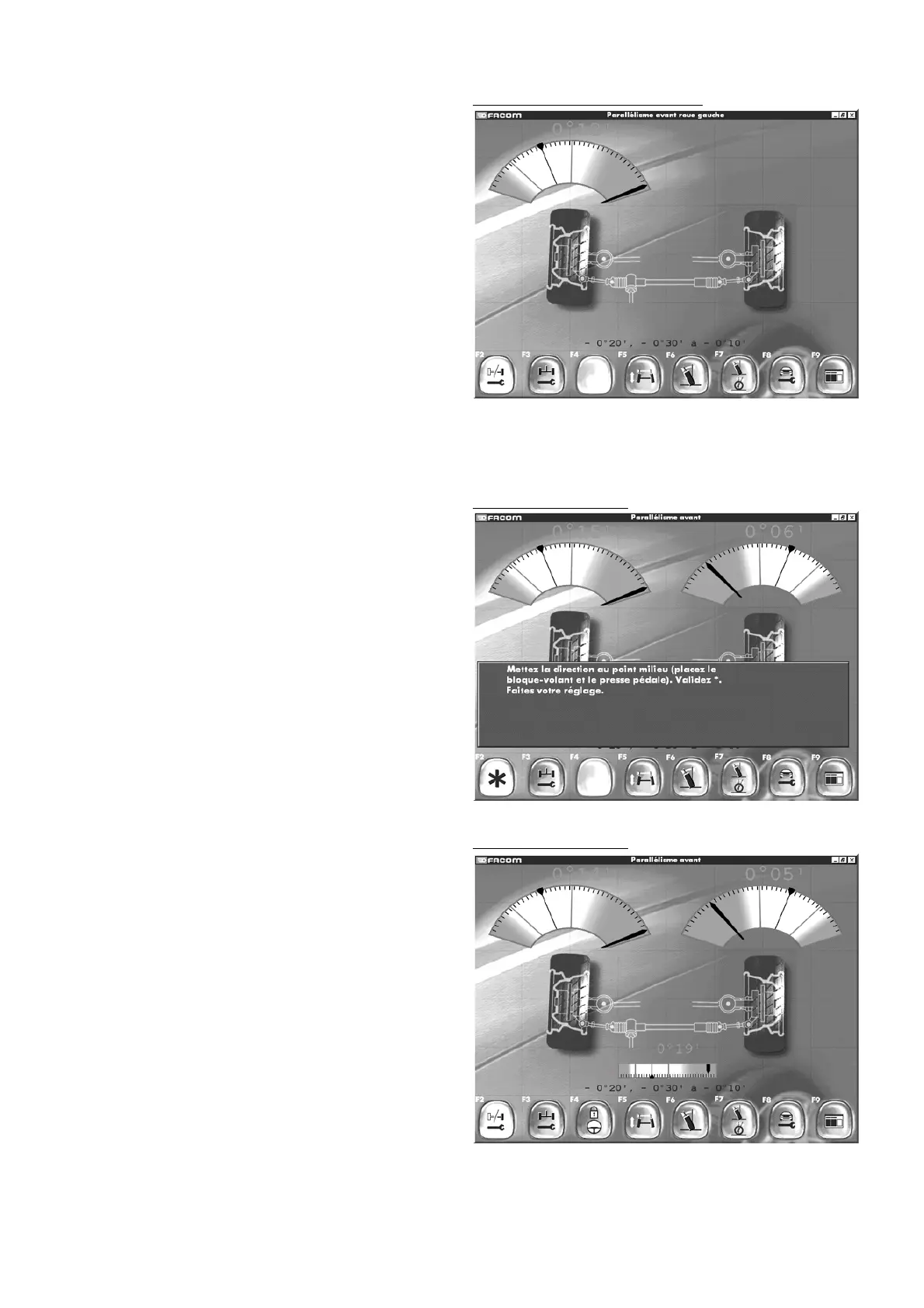
Front wheel alignmentFront wheel alignment Parallélisme
- Follow the instructions on the screen.
- Validate each stage.
- Confirm by pressing F2.
- You will then see the next screen.
Front wheel alignment
"F2" "
Wheel by wheel /axle
"
"F3" "
Rear adjustment
"
"F4" "
Locked steering wheel alignment
"
"F5" "
Alignment variation
"
"F6" "
Camber
"
"F7" "
Camber and castor
"
"F8" "
Read adjustment points
"
"F9" "
Return to inspection results
".
Confirm with F4: “
Locked steering wheel alignment
”.
Front wheel alignment
Wheel alignment front left wheelWheel alignment front left wheel
If you press F2, you will perform Front Left / Front Right / By
axle wheel alignment procedures simultaneously.
- Performed both sides.
- Validate by pressing F2 again.
- You will then access the wheel alignment readings for each
axle.



 To Next Page