Remote modules. RIO5, RIOW and RIOR series.
CNCelite
8058 8060
8065 8070
RIOW REMOTE MODULES. (CANOPEN PROTOCOL).
4.
RIOW-CANOPEN-STAND module. Leading (first) module.
ꞏ59ꞏ
REF. 2107
4.5.1 Elements (connectors).
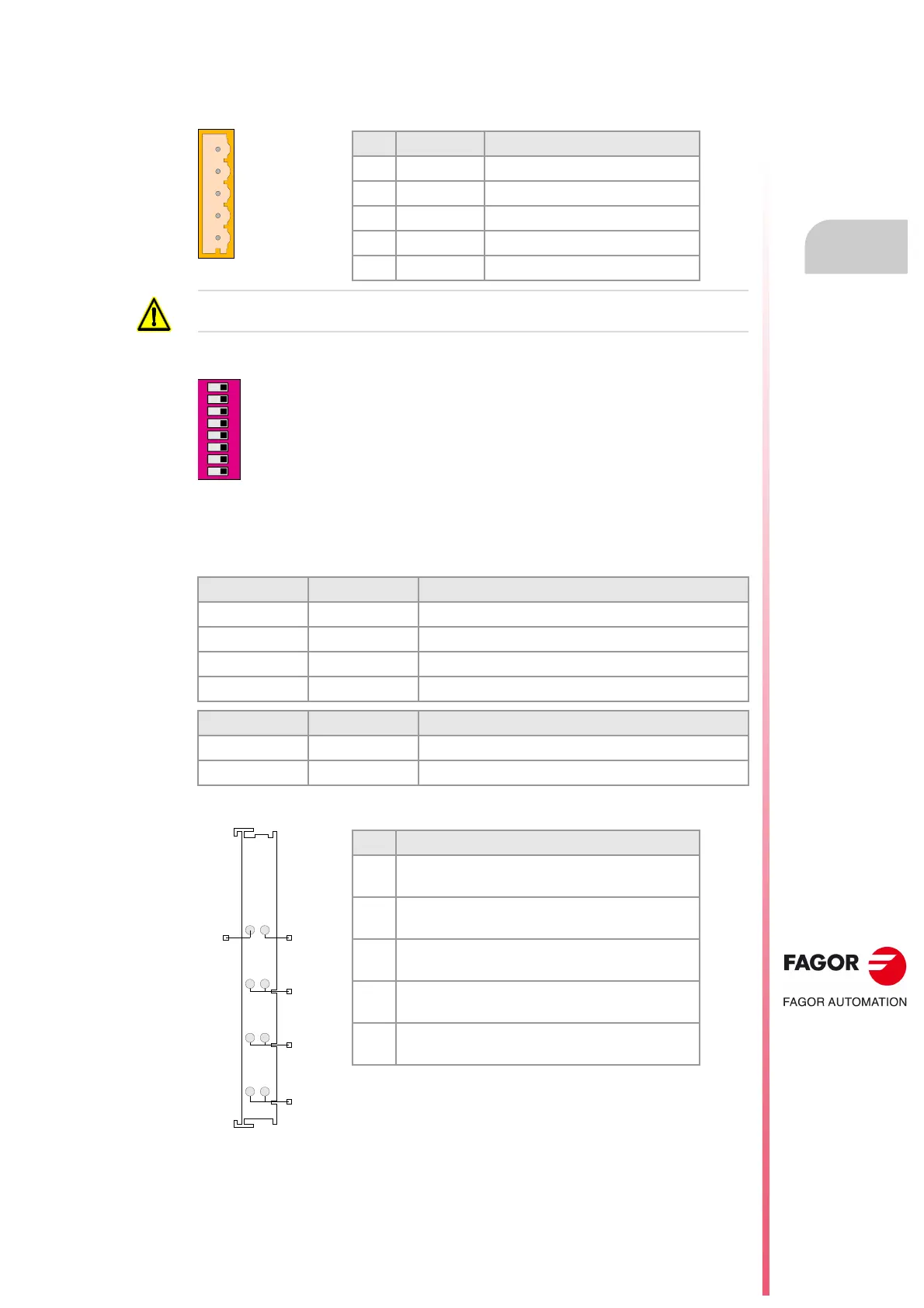
CAN bus connection.
Address (node) of the element and transmission speed.
Status indicator LED's.
The module has the following LED's on top. These LED's indicate the status of the node and
of the communication through the CAN bus. See
"4.5.4 Meaning of the LED's." on page 64.
Power supply.
Pin Signal Function
5 N.C. Not being used.
4 CAN H (HIGH) bus signal.
3 SHIELD CAN shield.
2 CAN L (LOW) bus signal.
1 GND Ground / 0 V.
Always connect the shield of the cable to the ground plate using a metallic clamp.
The dipswitch may be used to select the address of the node and the
transmission speed. See
"4.5.3 Node configuration." on page 62.
When using the CANopen protocol, the transmission speed at the bus is
defined in each node. All the nodes must work at the same speed.
LED. Color. Meaning.
STOP Red. The node is stopped.
RUN Green. The node works properly.
TX overflow Red. Data sending error.
RX overflow Red. Data reception error.
LED. Color. Meaning.
I/O Green. Status of the communication with the I/O modules.
I/O Red. Status of the communication with the I/O modules.
48
15
26
37
24 V
0 V
GND
0 V24 V
Pin Function
1 Voltage supply for the module.
24V power input.
5 Voltage supply for the module.
0 V reference signal.
2 - 6 Voltage supply for the I/O modules.
24V power input.
3 - 7 Voltage supply for the I/O modules.
0 V reference signal.
4 - 8 Voltage supply for the I/O modules.
Ground connection.


 To Next Page
 Loading...