MP-72/52 G2 Wireless Option
MP-70/50 • MP-72/52 • MP-73/53 • PN 98-0002-29 • REV 1709.13 103
SETTING UP THE WIRELESS (G2) CONNECTION
The wireless MP-72/52 control has been programmed at the factory to use the
correct scoreboard type and data format as instructed in PROGRAMMING THE
SYSTEM SETTINGS on page 142.
ANTENNA (G2)
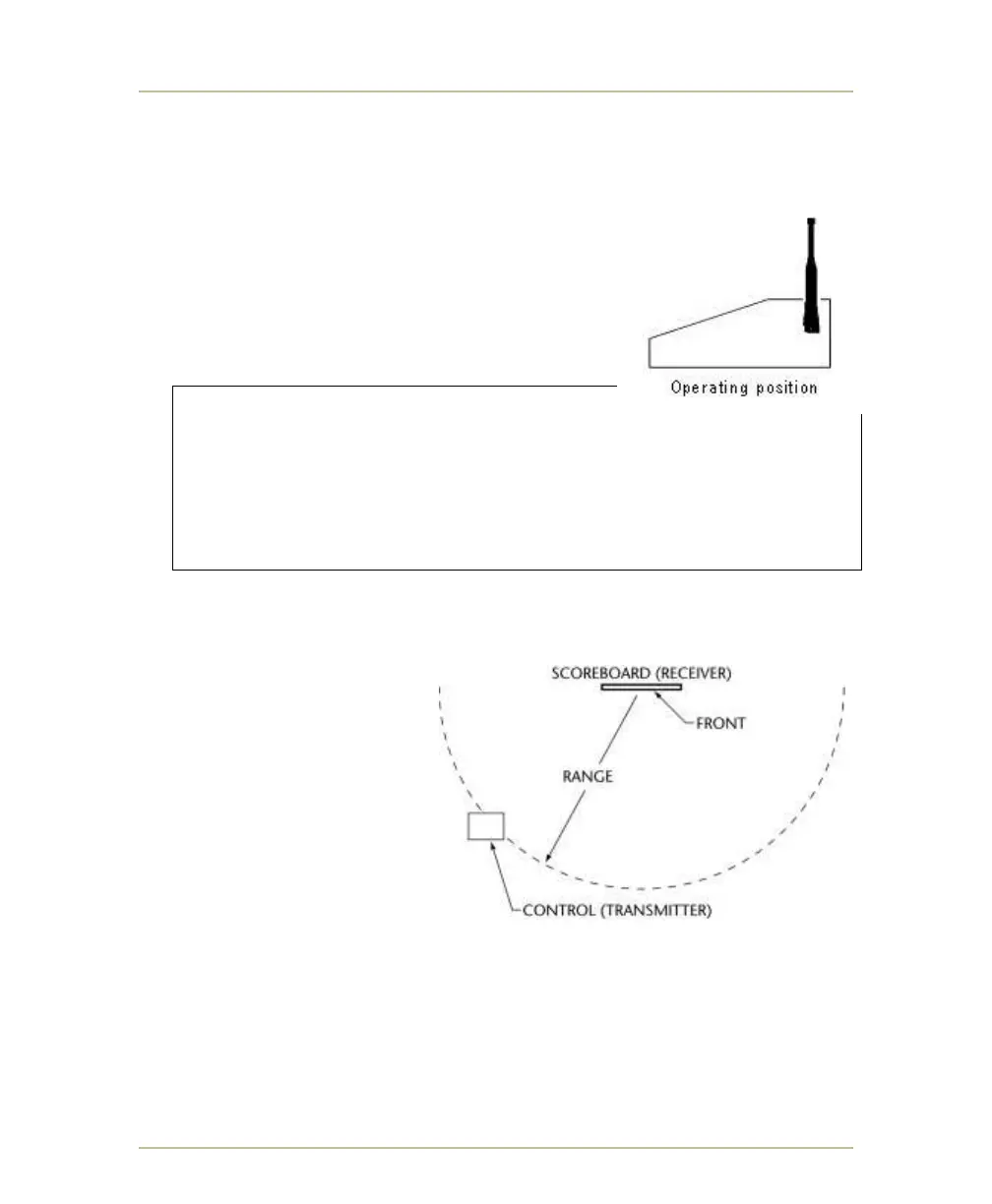
For optimal transmission, rotate the MP-72/52
antenna to the full upright position when using the
controller. Placing the antenna in any other position
reduces the transmission range.
WARNING: Never apply power to a
wireless MP-72/52 control that has its antenna
removed. This will immediately destroy the output
amplifier on the control’s transmitter card, and will
void any wireless MP-72/52 warranty. If the antenna
has been damaged, send the control to an authorized
service center for repair.
RANGE (G2)
The control transmitter must
be:
1. Located within range of
the scoreboard receiver.
500 feet indoors
1,500 feet outdoors.
2. Located within a 180°
degree arc in front of the
scoreboard receiver — to
prevent the scoreboard
from blocking the signal.
Note: The wireless signal is largely immune to conflicting radio frequency signals
from cordless telephones, cellular telephones, microwave ovens and other
radio frequency devices. For more information on interference, see RADIO
FREQUENCY INTERFERENCE on page 115.



 To Next Page