Team Names
MP-70/50 • MP-72/52 • MP-73/53 • PN 98-0002-29 • REV 1709.13 83
The font indicator, which appears in the third screen’s
upper right hand corner, displays one of two possible
font settings: either NF for narrow font or WF for wide
font. To change from one font style to the other, position the cursor under either
letter of the font indicator then press the NEXT key (the 5 key of the numeric
keypad). The result is illustrated below.
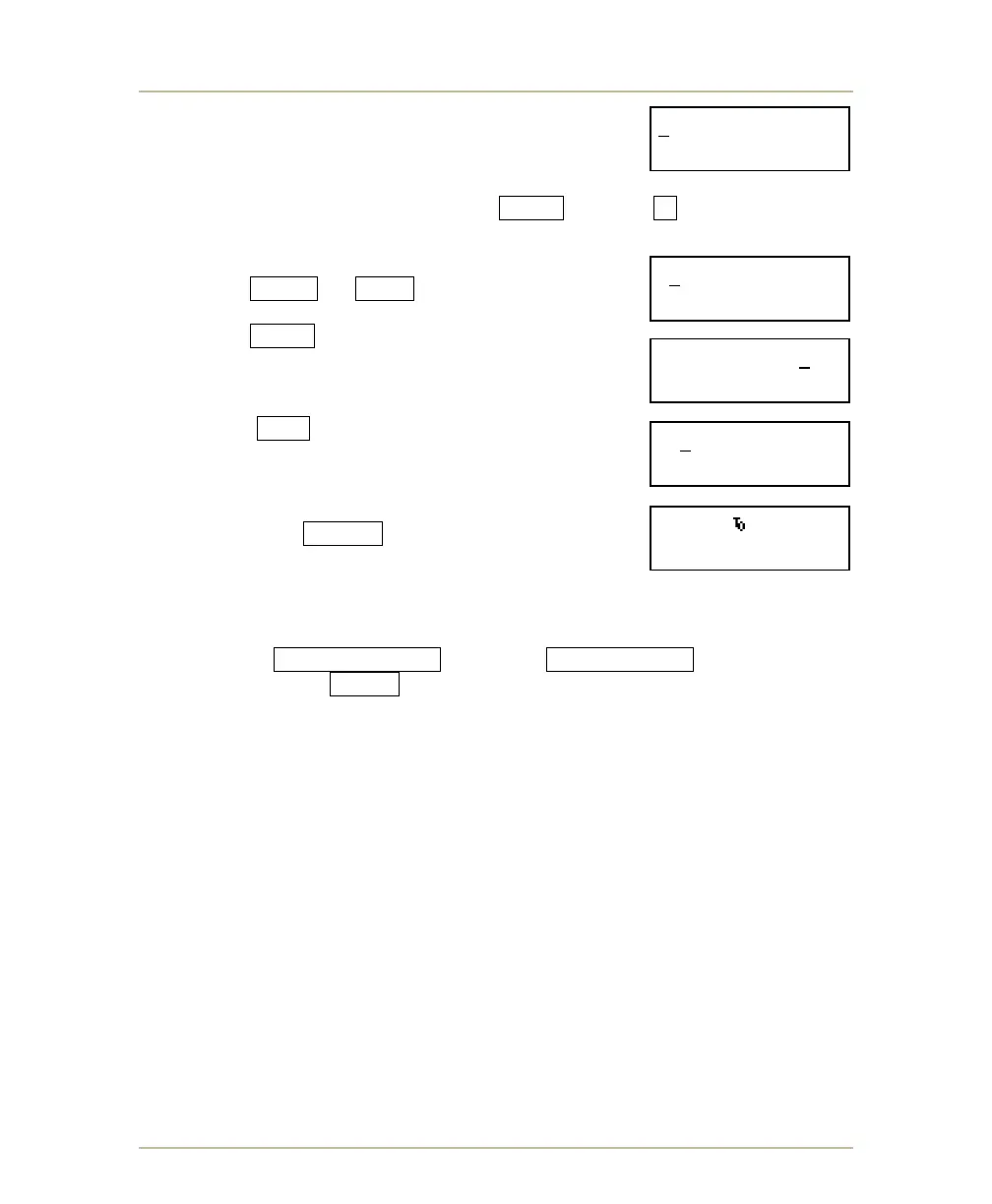
1. To select the first letter of the team name, use
the 4/YES or 6/NO keys to position the
cursor under the required letter. Then press
the NEXT key. The selected letter will be
displayed on the bottom line of the LCD.
Continue this process until the remaining letters
of the team name have been chosen.
The CLR key of the numeric keypad provides
backspace capability. Press it to delete any
letter or letters selected in error.
2. Once all the required letters have been chosen,
press the ENTER key to conclude the
process and transmit the team name data to the
scoreboard display. A screen similar to the one
shown will appear on the LCD.
3. To enter visitor team name, repeat steps one through four only
select VISITOR SCORE instead of HOME SCORE while holding
down on the SHIFT key.
4. Once the HOME TEAM name has been entered, it will remain set in the
controller memory even when power is turned off. If you need to change
the HOME TEAM name, repeat steps one through four. The VISITOR
TEAM name is automatically erased when the control is turned off and
will need to be re-entered every time the control is used.
5. Though the control allows entry of up to 11 characters per team name, a
32-pixel width team name window will only display about six narrow font
(NF) characters, and a 48-pixel width team name window will only
display about nine NF characters. If some of the characters are cut off or
not displayed on the scoreboard team name window, repeat the entry
procedure and try one of the following:
Select the narrow font (NF) as explained in Step 2.
Eliminate spaces if they were previously used.
Abbreviate the team name.
6. Verify the correct team name appearance on the scoreboard display.
0123456789 WF
ENTER HOME T.N.
ABCDEFGHIJKLMNOP
H.TN=BRON
QRSTUVWXYZ&.,’”-
H.TN=BRONCOS



 To Next Page