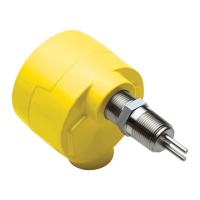
FS10 Series
24 Fluid Components International LLC
Mode B: Capture Zero and Span + Set Default Switch Point
1. If Mode A is not selected (button not released), after 10 seconds LED pattern changes to LEDs sequencing down from 3 to 1 and LEDs
8 to 10 sequencing up, indicating Mode B. Release button to enter into this setup option. The FS10 is now cued to remember the low-
est and highest flow signal it sees while in this mode.
2. Adjust high flow to represent span setting and low flow (or no flow) to represent the zero.
3. Momentarily press (–) minus button [failsafe low] or (+) plus button [failsafe high] to exit. Upon exit the unit saves lowest and highest flow
sampled (zero and full scale) and sets the switch point to 30% of that span if (–) button pressed or 70% of that span if (+) button is pressed.
Note:
Unit remains in learning mode indefinitely until either (–) or (+) button is pressed momentarily.
4. After exiting from this mode, the LED representing the default switch point (30% fail-safe low or 70% fail-safe high) blinks rapidly
for 5 seconds. During this time the user can, if needed, increment or decrement the switch point setting in 5% intervals of the newly
established span using the (+) and (–) buttons.
5. After 5 seconds from the last button press, the unit reverts to normal operating conditions and the switch point flashes normally in its
new location (if moved).
In all cases above, successful entry is acknowledged with first and last LED alternating and switch point LED blinking a couple of seconds
before the unit returns to normal operating mode.
A minimum span setting of 2% in gas (–) button or 0.05% in liquid (+) button is required to save new parameters. If minimum span is not
reached, the first two, middle two and last two LEDs flash for 3 seconds to indicate an error. The unit then resumes the last operation with
no change in parameters.
Definition of fail-safe parameters upon exiting:
(–) minus button exit = low flow alarm = fail-safe low
Relay polarity = 1 (Relay energized above the switch point)
Hysteresis position = 1 (Reset above the switch point)
NAMUR fault = 1 (Fault low; Analog Output drives to <3.6mA), relay drives to fail-safe position
(+) plus button exit = high flow alarm = fail-safe high
Relay polarity = 0 (Relay energized below the switch point)
Hysteresis position = 0 (Reset below the switch point)
NAMUR fault = 2 (Fault high; Analog Output drives to >21mA), relay drives to fail-safe position
These default parameters can be changed through the PC interface program or factory setup by completing the Application Data Sheet (ADS) at time of order.
Setup Recommendations
Mode A: Capture Switch Point + Set Default Zero & Full Scale
If only a zero flow can be simulated, set flow to zero flow (if liquid, make sure line is full). Then enter into Mode A to capture switch point at
no flow. Immediately after exiting, momentarily press the (+) button to increment the switch point in 5% steps to set the actual trip above
the actual no flow reading.
If throttling the flow is not possible and the switch can only be set under normal flow conditions, set the switch point at this normal flow,
then just after exiting, momentarily press the (–) button a number of times decrementing to an alarm point well below the normal flow.
Each press of the (–) button lowers the switch point approximately 5%. After 5 seconds the FS10 returns to normal operating mode with
new settings in place.
Mode B: Capture Zero and Span + Set Default Switch Point
Gas applications
The high flow limit or span setting is normally the most difficult to stabilize in a gas application. Therefore, simulating the desired high flow
rate at normal process conditions and allowing it to stabilize before entering into the QSM is recommended. Using in-line valves or other
means of throttling establish the desired full scale flow rate and allow the system to stabilize. Now enter into QSM 2 (capture/exit)—the
FS10 immediately captures this high flow signal. Then slowly throttle the flow down until the zero flow setting is reached (i.e. valve closed,
no flow). Allow to stabilize, then momentarily press appropriate fail-safe button to save parameters and return to normal operating mode
with the new scaled operating range established.


 To Next Page