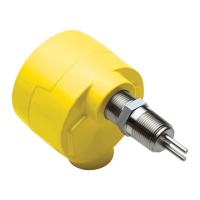
FS10 Series
Fluid Components International LLC 31
11
Time
Delay to
Deactivate
Relay or
Binary Pulse
1000000001
- +
RELAY_TURN_OFF_
DELAY
1 – indicates current
value relative to
maximum delay
(MAX_DELAY)
Time delay from when flow measurement
is greater/less than relay switch point, to
turn off relay. Increments and decrements
in 1 second steps [max. default setting 10
seconds when using buttons].*
12
Alarm
Simulation
1100000001
- +
0000011111= output
“max”
1111100000= output
“min”
Alarm simulation mode. Pressing (+)
button forces maximum (corresponds
to A_OUT_DAC_COUNT_100) 4-20 mA
output. Pressing (–) button forces
minimum (corresponds to A_OUT_DAC_
COUNT_0) 4-20 mA output.
Relay output follows the RELAY_POLAR
setting.
14
Filter
Setting
1111000001
- +
INPUT_FILTER_COUNT
LED 1 on = setting 3
LEDs 1-3 on = 18
LEDs 1-5 on = 30
LEDs 1-7 on = 50
LEDs 1-10 on = 100
Input filtering count: Default = 18.
(–) decreases filter, min. = 3.
(+) increases filter, max. = 100.
Filter value 18 reduces response
time <2 sec
Table 7 – Button Controls (continued)
PC Interface and Command Line Interface Congurations
FS10 Communication Options
In addition to the button interface, the FS10 may be addressed directly through the RS232 interface. This type of communication offers
convenient access to all user available parameters. There are two methods for interfacing through the RS232 connections:
1. A Windows PC Interface program is available that allows reading and writing to all user available functions and parameters.
2. A Command Line Interface through a HyperTerminal (MS) type program will access all functions and parameters (see RS232 Interface
Reference Table on the following pages).
In both cases the parameters are accessed directly through the RS232 terminals. Depending on the hardware configuration selected, the
RS232 signals are available through any of the following:
1. M12 pins – for units supplied with M12 power and output (I/O) connector
2. 8-wire cable units – for units supplied with cable pigtail, terminate to 3 wires
3. 2.5 mm phone jack connector – available on remote mount units only
Note:
RS232 RxD, RS232 TxD and SIGNAL RETURN (3-connections) must be used to for effective communication.
An RS232 to 9-pin serial (DB9) to USB interface cable is available from FCI to connect directly to a PC or PLC. An RS232 interface from either
of the 3 configurations above is available from the table on the following page.
Note:
The USB interface cable is supplied with a device driver disk. Depending on the computer operating system, installation may
be necessary for communication. Entry of the USB port # will be requested. It is normally the highest value listed.
* Maximum time delay is up to 65,000 seconds when using RS232 command line or PC interface.


 To Next Page