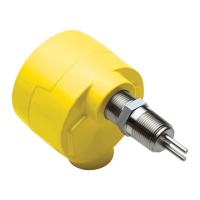
FS10 Series
42 Fluid Components International LLC
Password Protection
Factory settings are protected with a level 1 factory password. End user settings are protected with a level 2 password. The following
password allows changes to any level 2 parameter: 19113
Refer to “Table 8 – RS232 Interface Reference Table” for parameter command reference. Access to all level 2 (user configurable) parameters
are available through the FC10 PC interface software.
Command Line Interface Commands
INFO Read version information (Hardware, Firmware, Date code, other values (#1.. #45). [The values in items
1 through 45 are listed]
MEAS Read most recent flow measurement values (#220..#238). [The values in items 220 through 238 are listed]
RCFG B Read configuration parameters (#80..#132) from bank B (0..9). [Example: *RCFG 7 (to read bank 7 parameters)]
SAVE B Save currently active parameters to bank B (0..9) (Level 2 – Field password required). [Example: *SAVE 7]
RCL B Recall parameters from bank B as the active parameters. (Level 2 – Field password required). [Example: *RCL 7]
PASSWD NNNN To enter the password for either Level 1 (Factory) or Level 2 (Field). [Example *PASSWD 19113]
EXIT To exit the current password level (undo having entered a password). The current parameters will automatically be
saved to Bank 0 upon exit.
NNN=<value> Update item #NNN (1..238) in the “active” (RAM) parameters with value. Value may be either integer or floating point
(scientific notation). [Example 1: *228=1.100119E+03 enters value 1.100119E+03 into item 228, Example 2: *1=002
enters 002 into item1, Example 3: *110=800 enters 800 into item 110]
B:NNN Read item #NNN (1..238) in Bank B (0..9). For items #1..#45, and items #220..#238 the Bank is ignored. If no bank is
specified, the currently active (RAM) parameters will be accessed. [Example 1: *7:85 returns item 85 from bank 7 in
this form: 7:85>5.053665E-02, Example 2: *8:119 returns item 119 from bank 8 in this form: 8:119=030]


 To Next Page