FS10 Series
Fluid Components International LLC 41
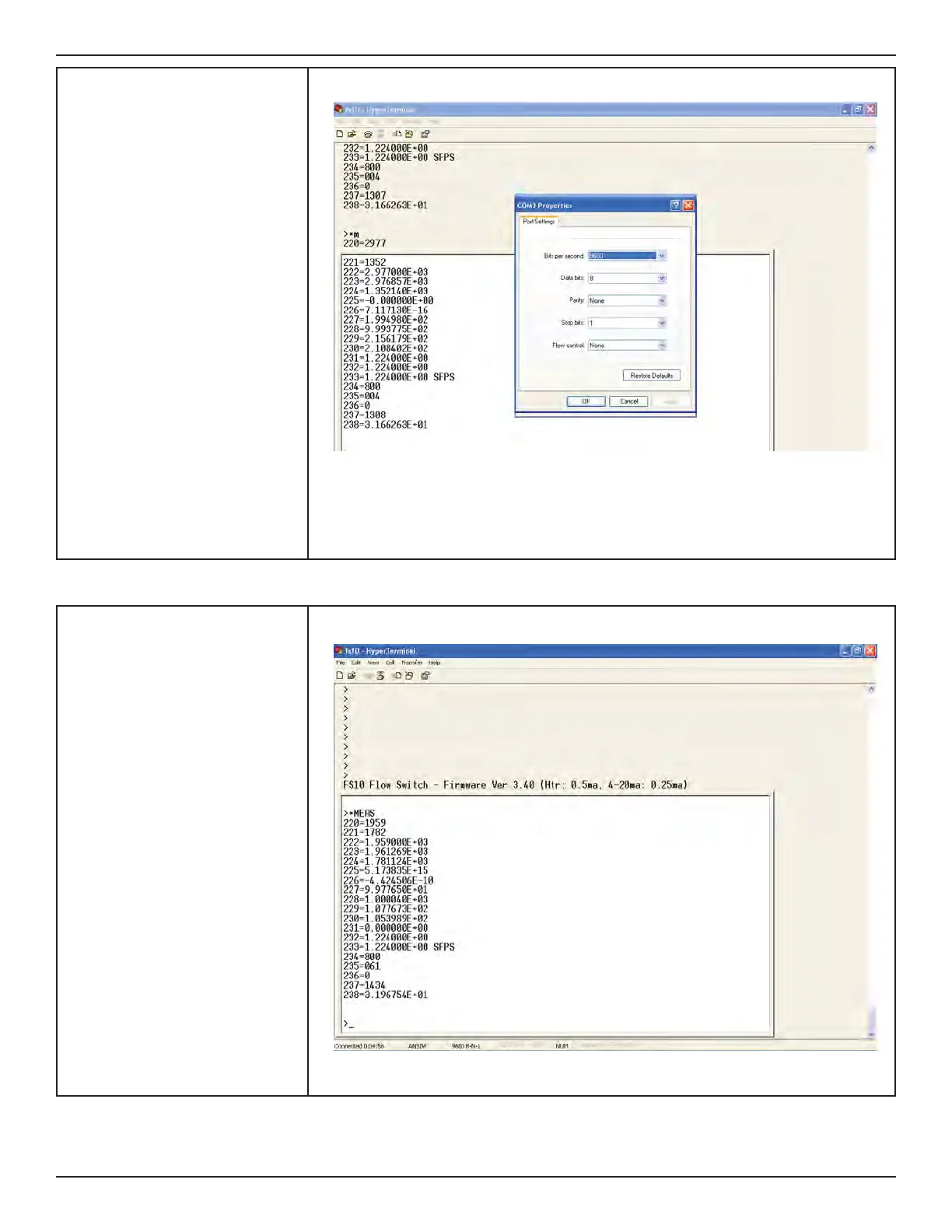
4. The COM port properties box comes
up. Make sure that you set the Bits
per second to 9600.
The other defaults shown here are
correct.
Click OK.
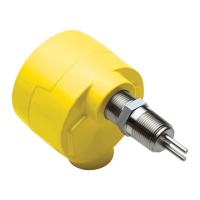
5. You now get the HyperTerminal win-
dow where you are able to control
your modem with commands.
Type *MEAS - you should get these
return values from FS10. You’re ready
to go!
When you end the session, make sure
to click YES to save the settings. This
creates a new icon in the HyperTermi-
nal folder with your session-name.ht.
This is a shortcut on your desktop for
easy access, and you never need to
repeat these setup steps.


 To Next Page