11
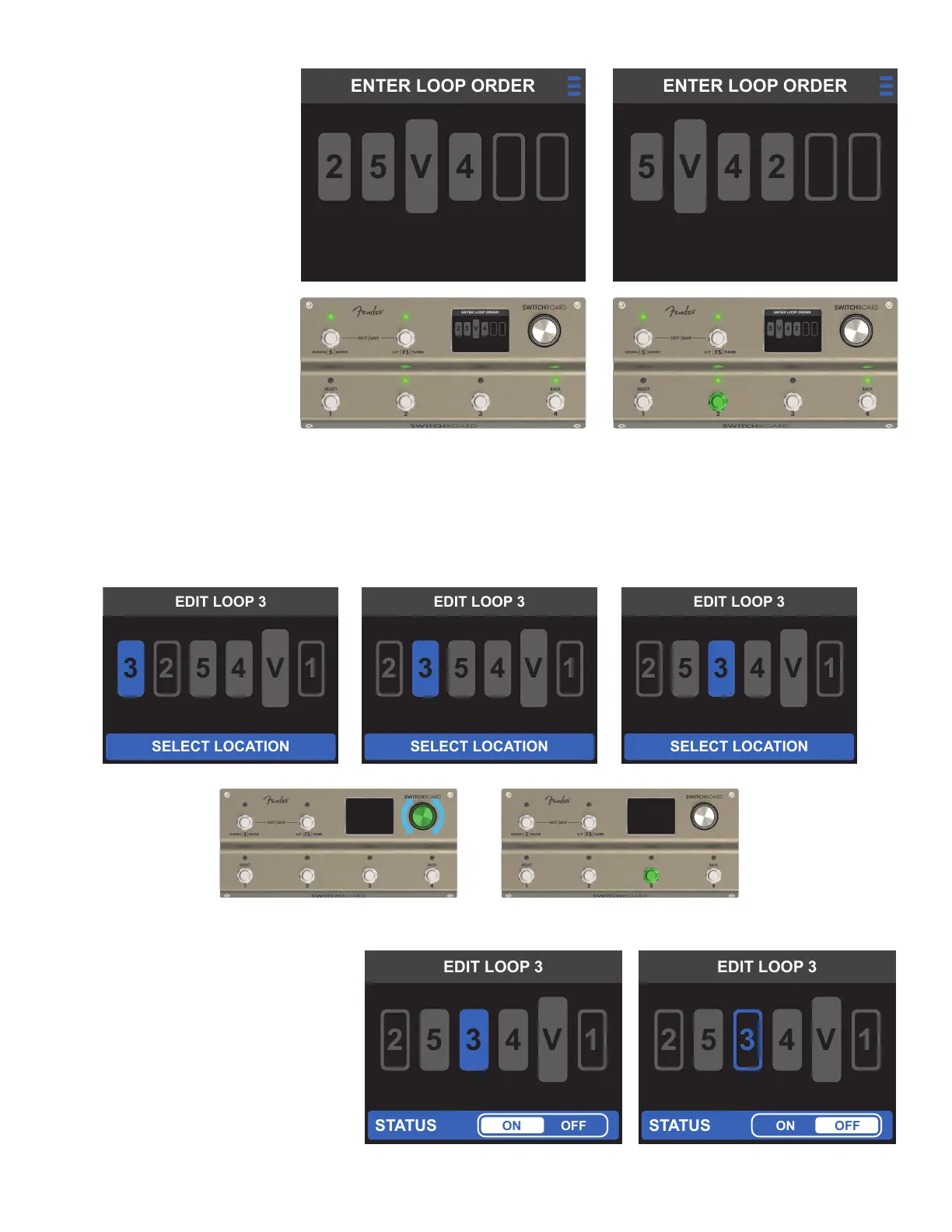
The screen will then display the on/
o status editor at the bottom of
the screen; use the encoder or the
footswitches to toggle the loop on
and o.
Once the loop’s status has been con-
rmed, the EDIT LOOP screen will
automatically return to the LOOP MODE
EDITOR screen with the loop location
and status updated.
B. EDIT LOOPS
Each loop’s status and position can be edited independently by selecting the loop's icon with the encoder;
toggle through loop locations by turning the encoder or pressing the footswitches. Press the encoder to select
the highlighted location.
If a footswitch corresponding
to a loop that has already
been assigned is pressed
again, that loop will be reas-
signed to the last slot in the
signal path. All other assigned
loops will be shifted ahead in
the signal path (right).
Once all ve loops and the
volume pedal have been
placed, the new signal path
will be saved and Switchboard
will automatically return to
the LOOP MODE EDITOR
screen. To exit without saving
changes, press the encoder to
access the EXIT MENU.
OR



 To Next Page