21
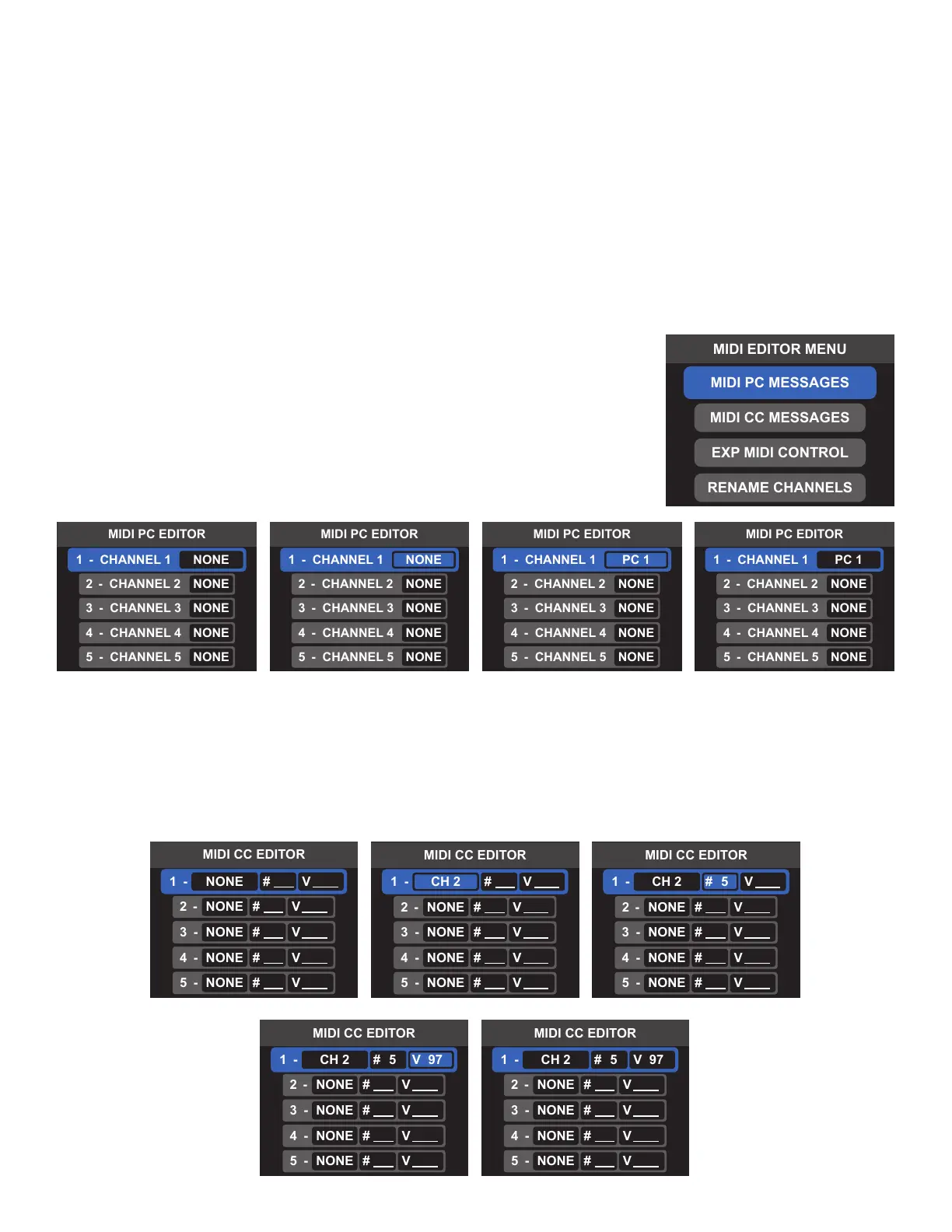
MIDI PC MESSAGES
Each preset can send one MIDI PC message per each of the 16 MIDI
channels; NONE sends no messages and PC 0 - PC 127 transmits the
specied PC command. Select the desired channel to edit the PC message
sent on that MIDI channel. For fast editing, the ALL option can be used to
assign the same PC value to all 16 MIDI channels. Press and hold the
encoder or press Footswitch 4 to exit and save changes.
MIDI CC MESSAGES
Each preset can send up to 15 MIDI CC messages. Select the message slot 1-15 to edit the MIDI CC message
transmitted. To send a MIDI CC message, select the MIDI channel (1-16), the control change number (0 to
127) and the value of the control change (V 0 to V 127). Press and hold the encoder or press Footswitch 4 to
exit and save changes.
F. EDIT FOOTSWITCH
This menu option mirrors the function of LOOP MODE EDITOR. Choose among several footswitch congu-
rations. The selected conductors and the on/o status of Footswitch FS at the time of saving will be recalled
when loading the preset.
G. MIDI EDIT MENU
Switchboard can send MIDI PC and MIDI CC messages to outboard gear when loading a preset. The expression
pedal can also be assigned to control any MIDI CC parameter with each preset. These messages can be assigned
and edited using the MIDI EDITOR. Use the encoder or footswitches to navigate the MIDI EDIT MENU and select the
desired messages. Press and hold the encoder or press Footswitch 4 to exit the MIDI EDIT MENU and save changes.



 To Next Page