3. Commissioning
3−5
Festo P.BE−CPX−CEC−EN en 1004a
3.3 Configuration of the CPX modules
Detailed information on configuration of the CPX modules
can be found in the online help.
After you have created a new project in section 3.2 and
selected the desired CoDeSys controller, now continue
commissioning with configuration of the CPX modules.
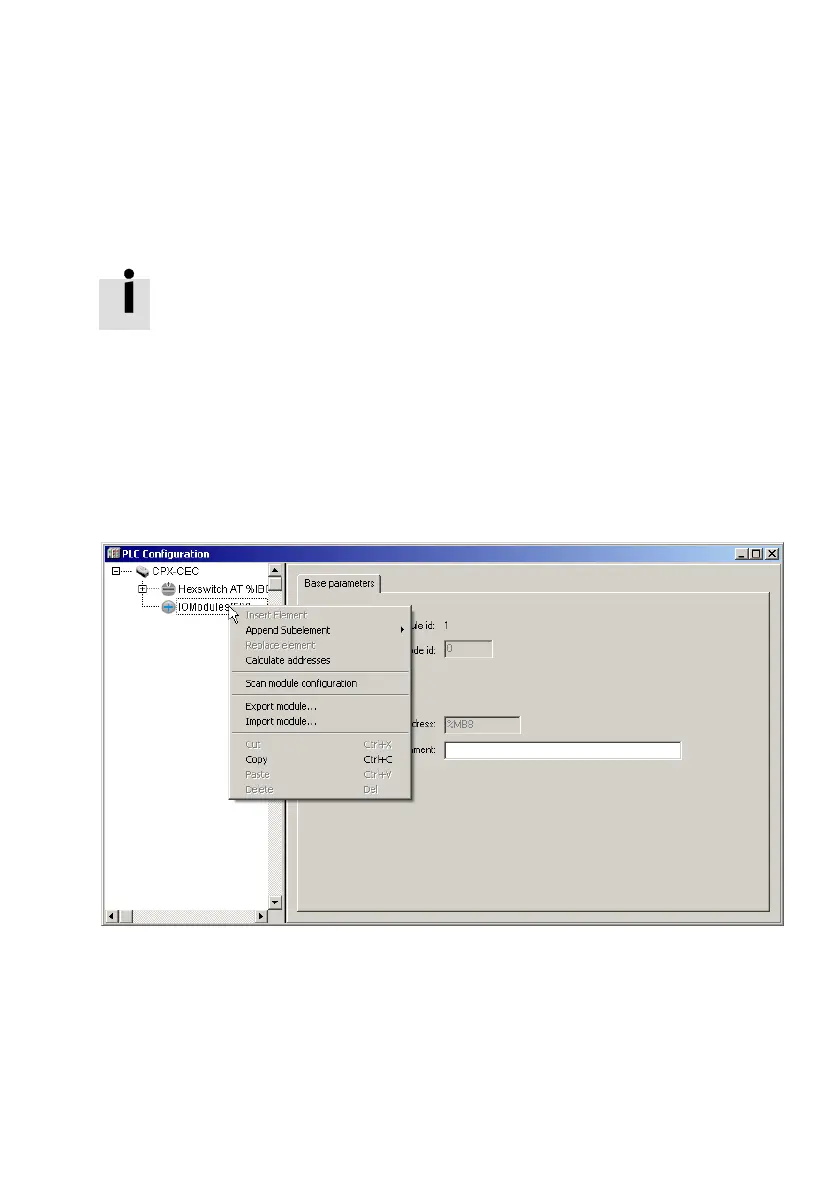
1. Click in the window "PLC Configuration" on the nodes to
the left of
the CPX−CEC−...
2. Click with the right mouse button on the element
"IOModules[FIX]".
Fig.3/2: Configuration of the CPX modules
Now you can perform module configuration automatically
or manually.



 To Next Page