1. Installation
1-8
Festo CPX-FB36-EN en 1611a English
1.2.4 Setting the operating mode and network protocol
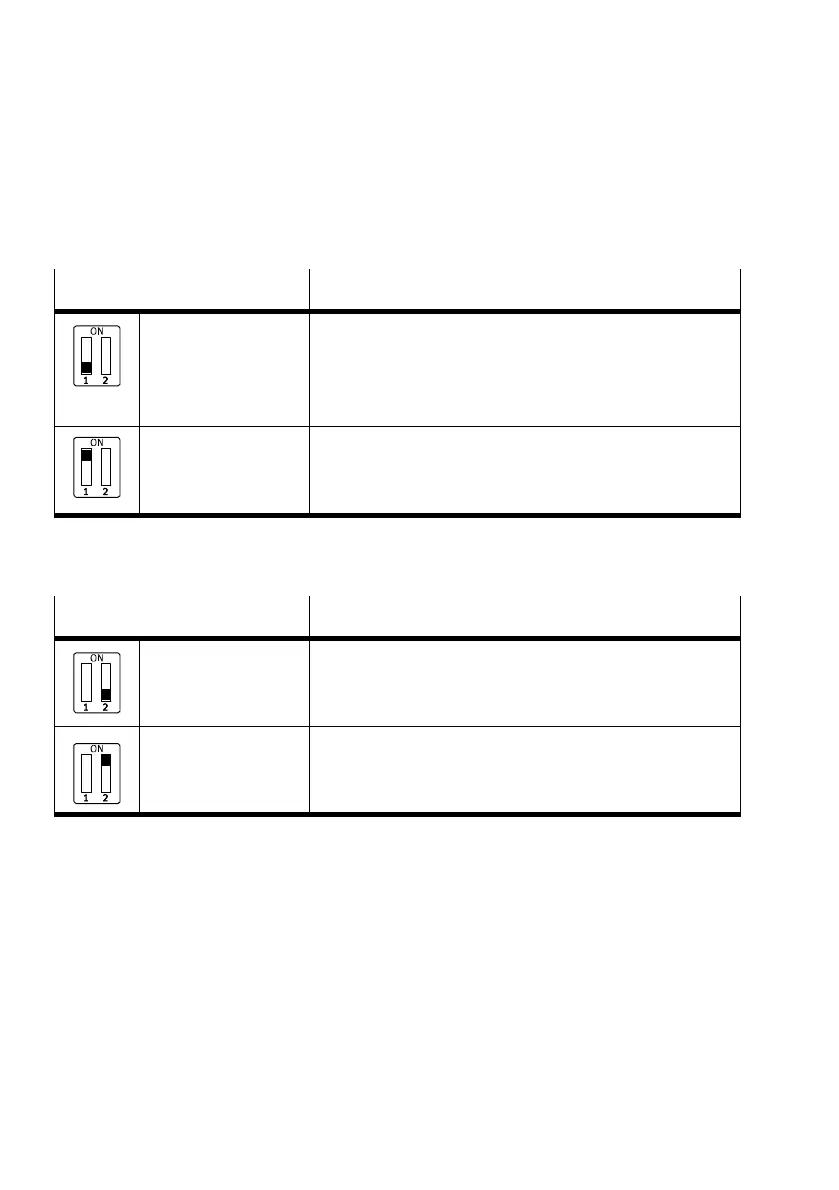
DIL switch1.1 Operating mode
DIL 1.1: OFF
(Factory setting)
Remote I/O
All functions of the CPX terminal are controlled directly by the
higher-order controller (PLC). A control block integrated into
the CPX terminal (e.g. CPX-CEC or CPX-FEC) works as a passive
function module without controller.
DIL 1.1: ON Remote controller
A control block integrated into the CPX terminal (e.g. CPX-CEC or
CPX-FEC) takes over I/O control. This operating mode is only
useful if a control block is integrated into the CPX terminal.
Tab. 1/1: Setting the operating mode
DIL switch1.2
Network protocol
DIL 1.2: OFF
(Factory setting)
EtherNet/IP
The CPX terminal uses the EtherNet/IP network protocol.
DIL 1.2: ON Modbus®TCP
The CPX terminal uses the Modbus® TCP network protocol.
Tab. 1/2: Setting the network protocol



 To Next Page