2. Preparing for commissioning
2-6
Festo CPX-FB36-EN en 1611a English
Simplified configuration of “QuickConnect” at the bus node
CPX-FB36:
Set the CPX parameter “IP configuration” to “with saved
parameters and QuickConnect”.
With activation of “QuickConnect”, the “Crossover” detection
is deactivated for both network connections. As a result, con
nection X1 runs in the MDI-mode and connection X2 runs in
the MDI-X mode.
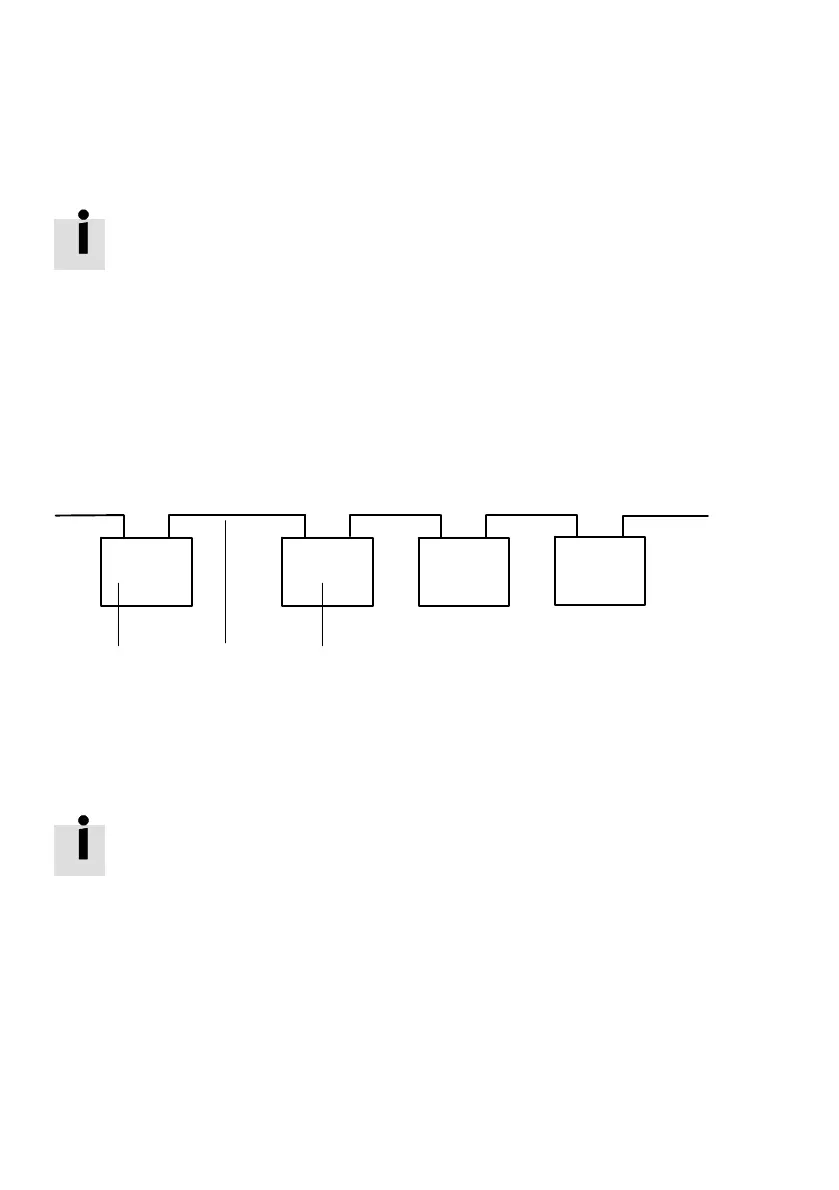
This allows a line topology to be constructed with patch
cables:
MDI
MDIX
MDI
MDIX
MDI
MDIX
X1
X2
X1
X2 X1
X2
TP1
TP2
123
1 PLC or switch
2 Patch cable
3 I/O device (e.g. B.CPX-FB36)
Fig. 2/1: QuickConnect line topology with patch cables
The bus node corresponds to a “Class A device” in accord
ance with the EtherNet/IP specification. When switched on,
the bus node requires less than 350 ms to accept a TCP con
nection. Due to the rapid establishment of the TCP connec
tion, the detection of already used IP addresses (ACD, “IPAd
dress Conflict Detection”) is not executed completely.
Multiple assigned IP addresses are only detected late. As a
result, the network can be disturbed.
If IP addresses are correctly assigned in the network, de
activate the ACD via attribute 10 of the TCP/IP interface
object (è C.2.3).



 To Next Page