Commissioning
© Festo Didactic GmbH & Co. • MPS 17
Please complete the below mentioned list of input- and outputadresses of the PLC.
Please define your own symbol adress using max. 8 characters.
Information
To find out the adresses please use the technical manual-wiring diagram for the
station and the Control Panel. The inputs can also be checked directly at the PLC-
LED´s, the outputs not without a program. To move pneumatic actuators, please
switch off the air-pressure and move them manually by hand. Please be very careful,
move the actuators back before switching on the air-pressure again. Some
pneumatic and the electrical actuators can not be moved in this way-the pneumatic
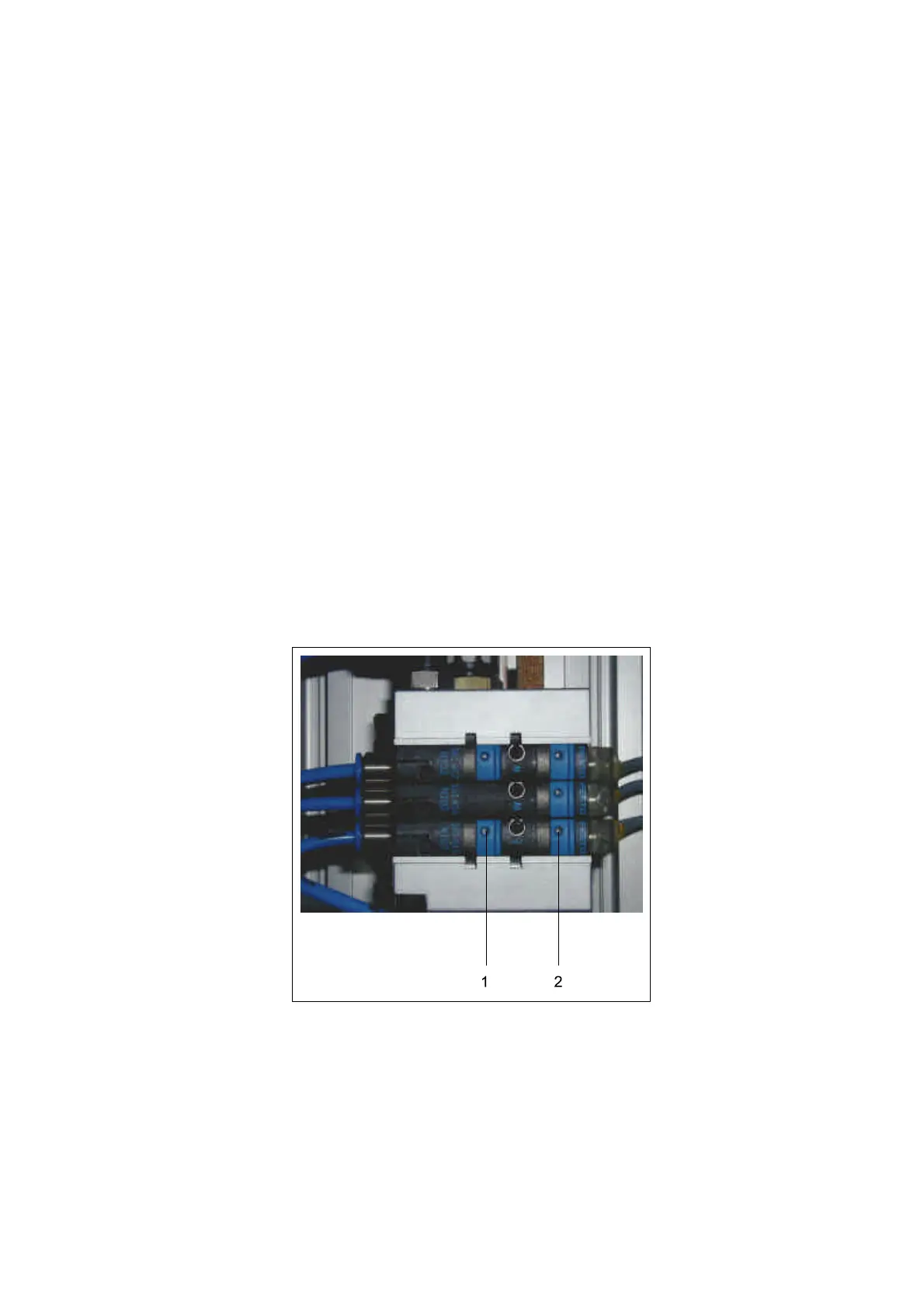
components can be activated by the manual detection button on the valve (see
picture)
Instructor:show the participants how to find out an input and an output using the
wiring diagrams. Show them why some actuators can not be moved by hand even
without air- and power supply (DC-motors and 5/3-way valves) using the
pneumatic plan to explain. Show them also how to find out the communication in-
and outputs.
Example: press 1 = vacuum is on, press 2 = vacuum is off
1.4 Analysis–
Input and Output
adresses
expanded


 To Next Page