159
Driving
6
► Press button 2-SET- or 3-SET+ to activate
cruise control and save a speed setting when
the vehicle has reached the desired speed; the
vehicle’s current speed is saved as the speed
setting.
► Release the accelerator pedal.
► Pressing button 4-II temporarily pauses the
function (pause).
► Pressing button 4-II again resumes operation
of the cruise control (ON).
Cruise control can also be paused
temporarily:
– by pressing the brake pedal.
– by pressing the clutch pedal with a manual
gearbox (depending on the engine tted).
– automatically, if the electronic stability
control (ESC) system is triggered.
Changing the cruise speed
setting
The cruise control must be active.
To change the cruise speed setting, based on
the vehicle’s current speed:
► For steps of +/- 1 mph (1 km/h), briey
press 2-SET- or 3-SET+ repeatedly.
► For steps of +/- 5 mph (5 km/h), press and
hold 2-SET- or 3-SET+.
Pressing and holding 2-SET- or 3-SET+
results in a rapid change in the speed of
the vehicle.
As a precaution, we recommend setting
a cruise speed fairly close to the current
speed of your vehicle, to avoid any sudden
acceleration or deceleration of the vehicle.
To change the cruise speed setting using
memorised speed settings and from the touch
screen:
► Press 5-MEM to display the memorised
speed settings.
► Press the touch screen button for the desired
speed setting.
The selection screen closes after a few
moments.
This setting becomes the new cruise speed.
To change the cruise speed setting using the
speed suggested by the Road signs recognition
function displayed on the instrument panel:
► Press 5-MEM once; a message is displayed,
conrming the memorisation request.
► Press 5-MEM again to save the suggested
speed.
The new speed setting value is displayed on the
instrument panel.
Temporarily exceeding the
programmed speed
If needed (when overtaking, for example),
it is possible to exceed the programmed
speed by pressing the accelerator pedal.
Cruise control is temporarily deactivated and the
programmed speed displayed ashes.
To return to the programmed speed, simply
release the accelerator pedal.
Once the vehicle has returned to the
programmed speed, cruise control takes over
again and the programmed speed setting stops
ashing.
When descending a steep hill, the cruise
control system cannot prevent the
vehicle from exceeding the programmed
speed.
You may have to brake to control the speed of
your vehicle. In this case, the cruise control is
automatically paused.
To activate the system again, with the vehicle
speed above 25 mph (40 km/h), press button
4.
Switching o
► Turn the thumbwheel 1 to the "0” position: the
cruise control information disappears from the
screen.
Malfunction
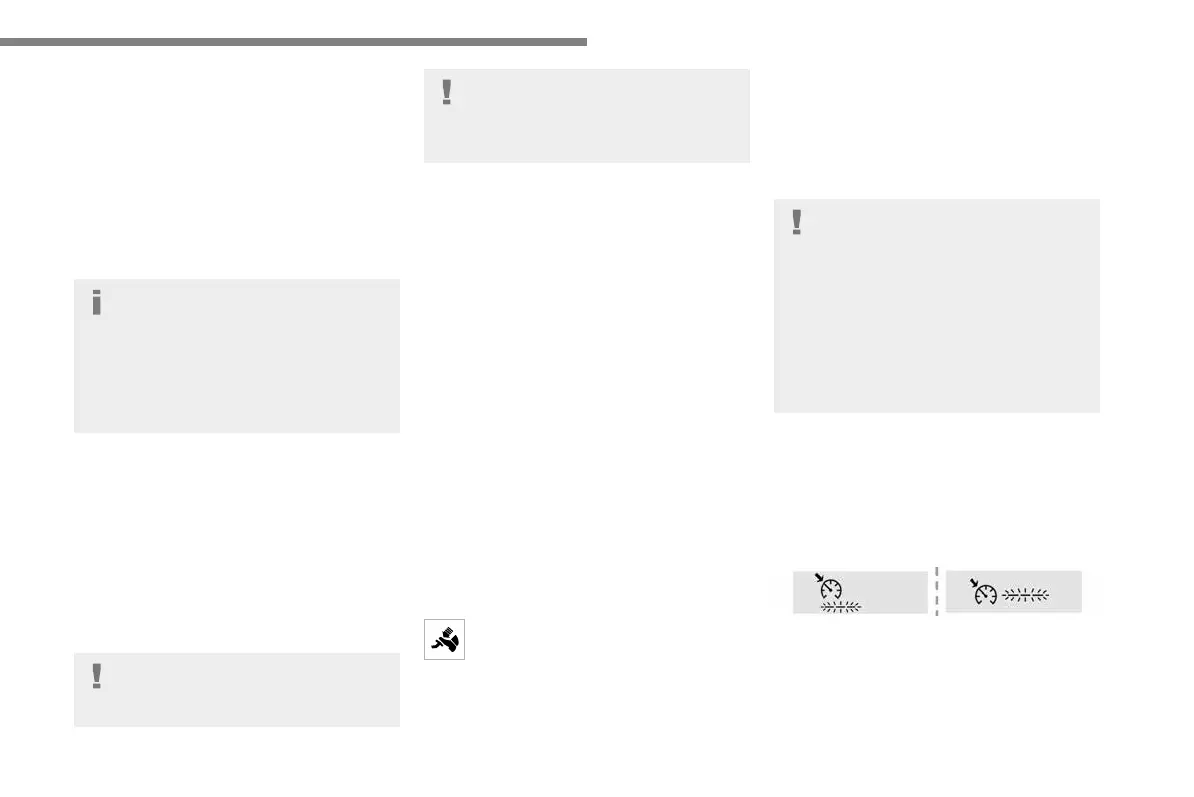
In the event of a malfunction, dashes are
displayed ashing and then xed instead of the
speed setting.
Have it checked by a Fiat Dealership or a
qualied workshop.
Fiat.K0-Fiat-VP.2021.01.en-GB.indb 159 14/02/2022 15:33:39






 To Next Page