COMPONENTS 41
TO REMOVE THE CPU
You must follow standard electrostatic discharge (ESD) precautions when you handle
electronic components. For more information, see “Standard electrostatic discharge
precautions” on page 11.
1. Shut down and open the E100 (see page 14).
2. Remove the motherboard components (see page 30).
3. Remove the power supply (see page 49).
4. Remove the motherboard from the chassis (see page 30).
Place the motherboard on a flat, antistatic surface.
5. Remove the CPU fan cable from motherboard connector CPUFAN.
6. Remove the CPU cooling assembly:
Be aware that both the cooling assembly and CPU may be very hot. You may need to allow
the components to cool before you attempt to remove them.
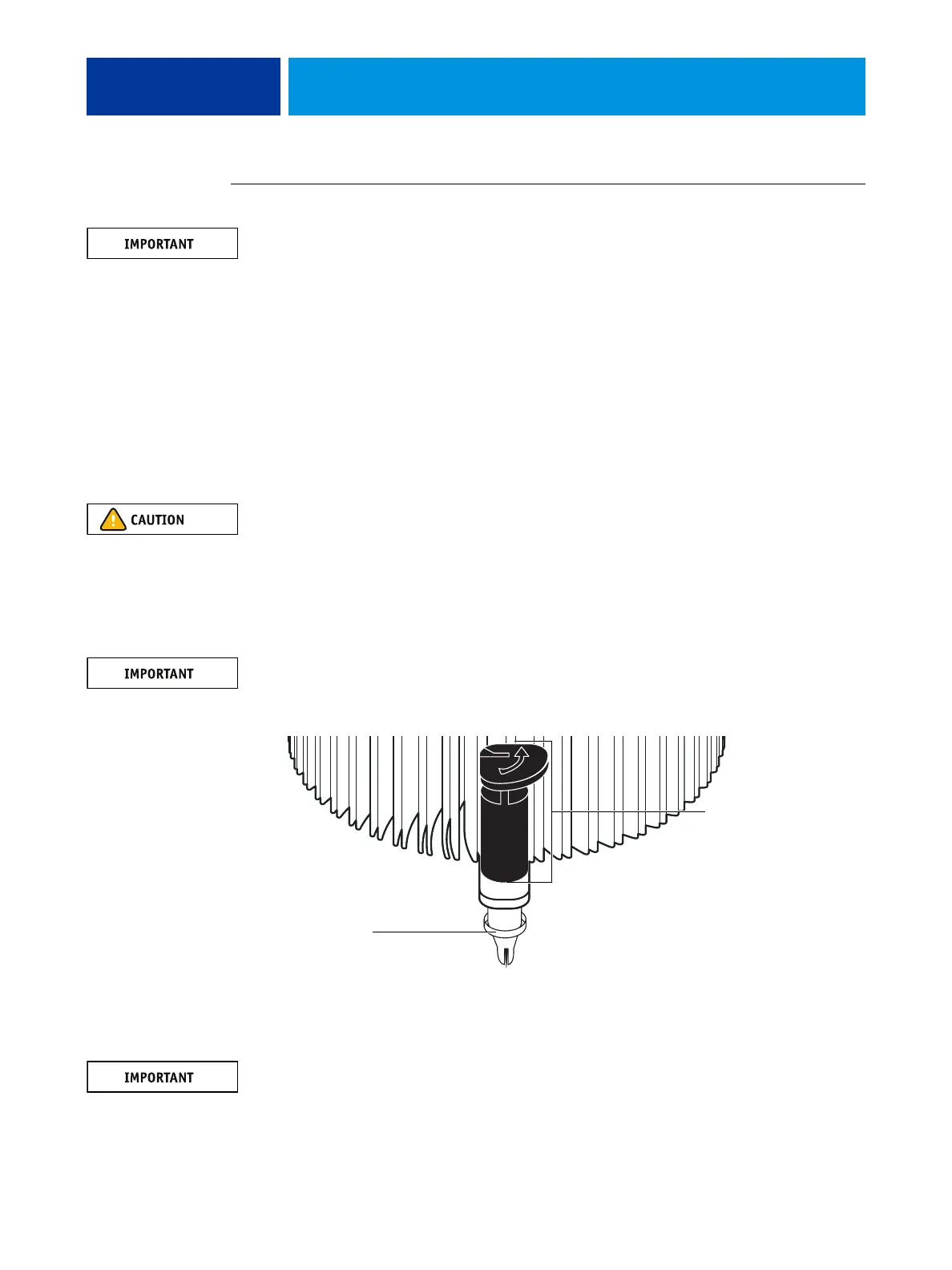
• Insert a flathead screwdriver into the groove on the top of each fastener cap and rotate the
fastener one quarter-turn counterclockwise to the position shown below.
• Pull straight up on each fastener cap until the retaining tang at the tip of the peg is released
from the motherboard.
You may need to use moderate force to pull the pegs and pins out of the motherboard.
Be careful not to damage nearby components on the motherboard or the CPU cooling
assembly when pulling up on the fasteners.
FIGURE 18: Removing the CPU cooling assembly
7. Lift the cooling assembly off the CPU socket and set it aside.
Use caution when lifting the cooling assembly off the CPU, because the thermal compound at
the base of the heatsink may damage the CPU if the heatsink is removed too forcefully.
Rotate each fastener
to this position.
Peg



 To Next Page