COMPONENTS 49
Power supply
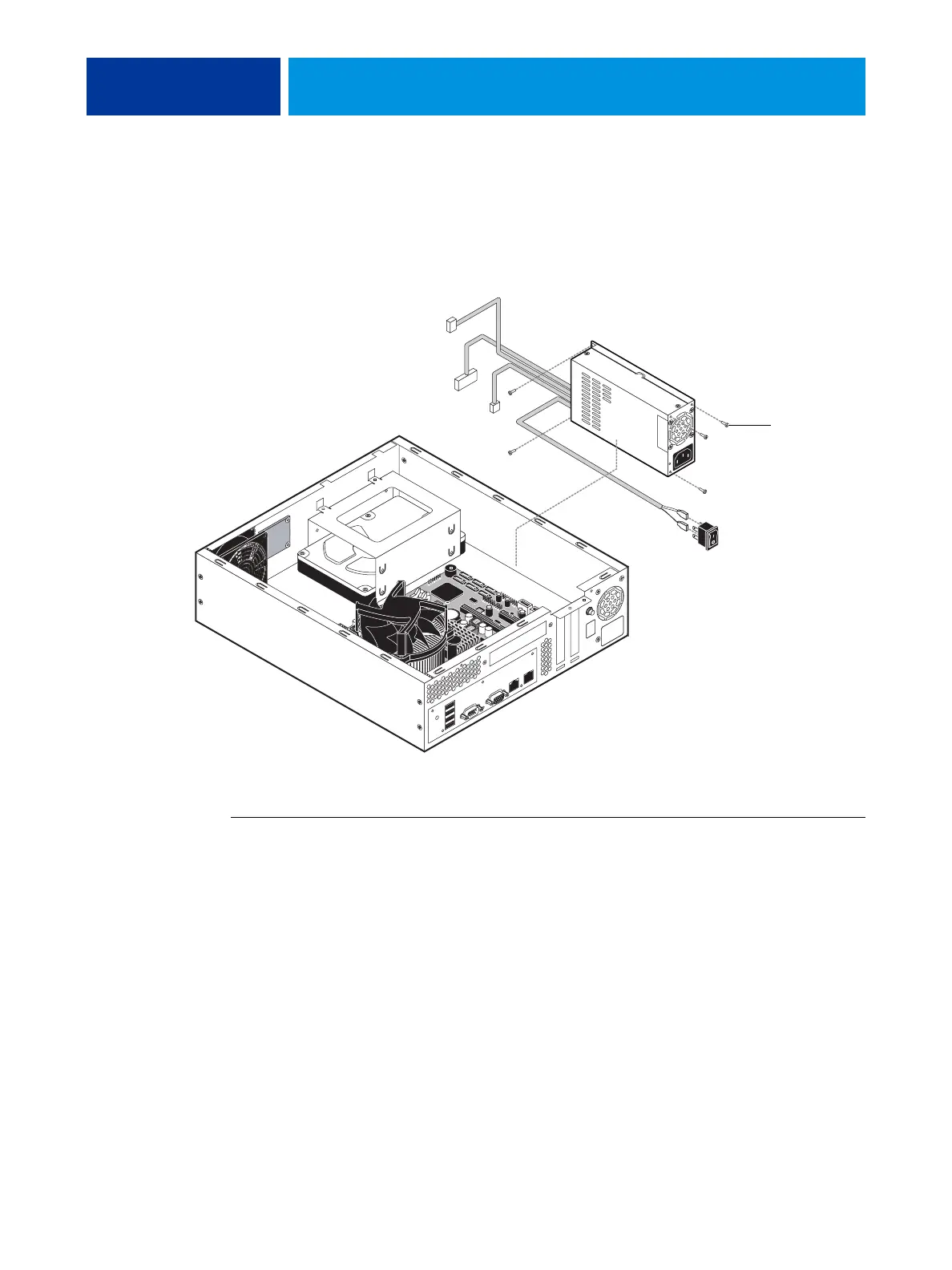
The power supply in the chassis is dedicated to the E100. It supplies power to the
motherboard, power button, and HDD. To remove or replace the power supply, use the
following procedures and follow “Precautions” on page 9.
FIGURE 25: Location of the power supply
TO REMOVE THE POWER SUPPLY
1. Shut down and open the E100 (see page 14).
2. Disconnect the power cables:
• 20-pin connector from motherboard power
• 4-pin connector from CPU power
• Black and white power leads from the power switch
•SATA power cable from the HDD
3. Note how the power supply cables are arranged in the chassis, and then carefully remove
them from the cable clamps.
4. Remove the four screws that secure the power supply to the chassis, and then lift the power
supply out of the chassis.
Screw (1 of 5)



 To Next Page