3.0 LED INDICATORS
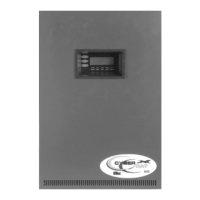
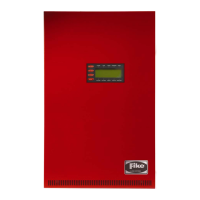
AC Power – Green LED which illuminates when AC power is
applied to the control panel. Turns off when the AC power is
removed or is too low for proper operation.
Alarm – Red LED that flashes when the panel enters the
Alarm state. Illuminates steady after you acknowledge or
silence the event. Turns off after the event is cleared and the
control panel is reset.
Trouble – Yellow LED that flashes when the panel enters the
Trouble state or if a zone or device is disabled. Illuminates
steady after you acknowledge or silence the event. Turns off
when all trouble conditions are cleared.
Supervisory – Yellow LED that flashes when the panel
enters the Supervisory state or if a zone or device is disabled.
Illuminates steady after you acknowledge or silence the
event. Turns off when all supervisory conditions are cleared.
Silence – Yellow LED that illuminates steady after a
SILENCE switch is pressed (local or remote). Turns off when
DRILL or RESET key is pressed.
Pre-discharge – Red LED that flashes when the panel enters
the Pre-discharge state. Illuminates steady after you
acknowledge or silence the event. Turns off when the panel
is reset.
Release – Red LED that flashes when the panel enters the
Release state. Illuminates steady after you acknowledge or
silence the event. Turns off when the panel is reset.
Disable – Yellow LED that illuminates steady when any zone
is disabled. Outputs in the disabled zone will not operate.
Panel will also indicate a Trouble and Supervisory event
when a zone is disabled. Turns off when the panel is reset or
the zone is enabled.
Abort – Yellow LED that flashes when the panel enters the
Abort state. Illuminates steady after you acknowledge or
silence the event. Turns off if the abort condition clears and
no other abort events are present.
Ground Fault – Yellow LED that illuminates steady when a
ground fault condition is present on the system. Turns off
when the ground fault is cleared or the panel is reset.
4.0 MAINTENANCE AND TESTING
To ensure proper and reliable operation of the system,
system inspection and testing should be scheduled as
required by NFPA 72 and local codes and standards. Only a
qualified Service Representative should perform testing or
system maintenance.
Before Testing: Notify the fire department and/or central
alarm receiving station if alarm conditions are transmitted off-
site. Notify facility personnel of the test so alarm notification
appliances are ignored during the test period. Physically
disconnect all releasing devices.
Before Servicing: Remove AC and battery power before
performing any repair or service work on the control panel.
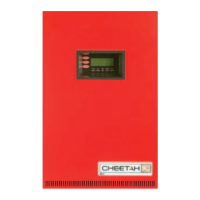
Refer to Fike document 06-369-2, “Cheetah Xi 50 Operation
and Maintenance Manual” for maintenance instructions.
5.0 IN CASE OF TROUBLE CONTACT:
Name:___________________________________________
Address:_________________________________________
Phone #:_________________________________________
or Fike Corporation
Customer Service Department
(800) 979-FIKE (3453) or
(816) 229-3405
Refer to Fike document 06-369-2, “Cheetah Xi 50
Operation and Maintenance Manual” for additional
information.


 To Next Page