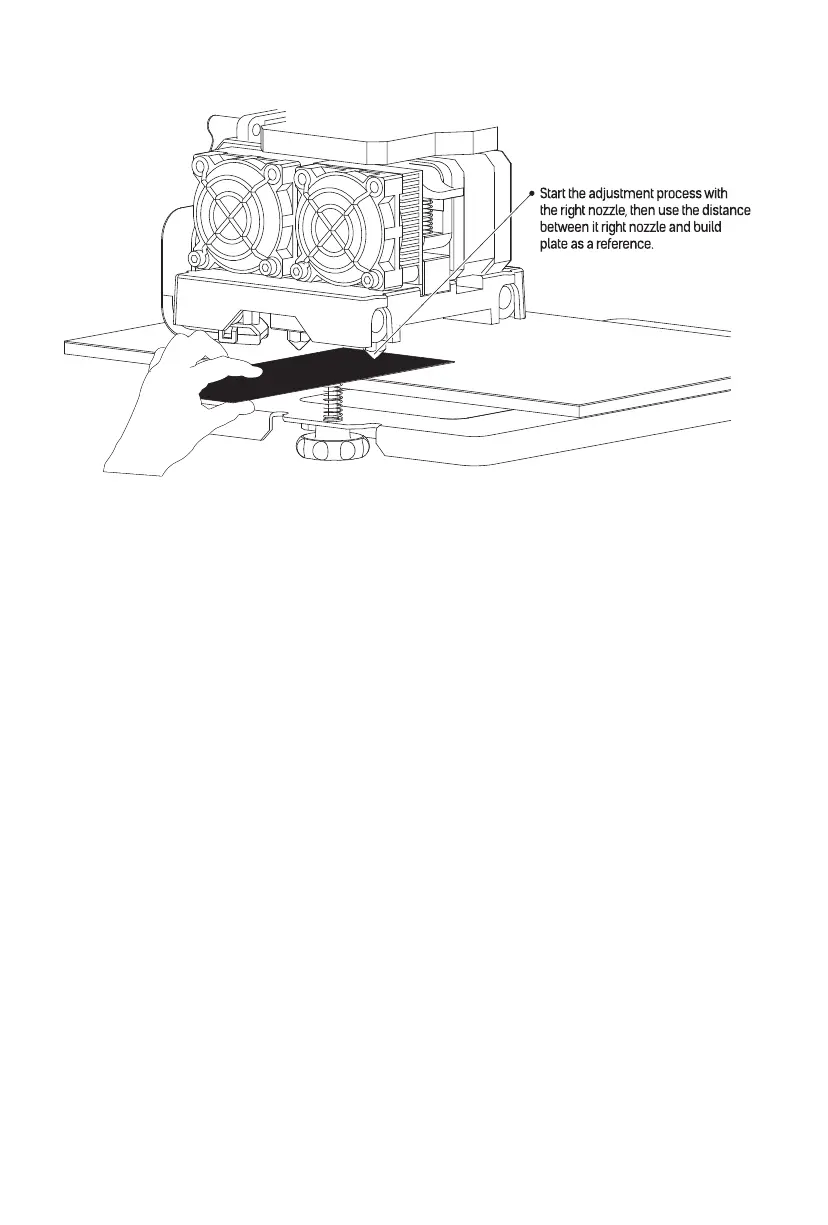
3. Once the extruder and build plate stop moving, slide the Leveling Card continuously back and
forth between the nozzles and the build plate, while simultaneously adjusting the knob just
enough so that the card causes a slight friction.
Touch the Next button and wait for the extruder to move to the second position. Slide the card
back and forth again and adjust the knob to create the same amount of friction as the previous
step.
Touch the Next button again and repeat the same leveling steps.
Touch the Next button. The nozzle will move to the center of the build plate. Slide the card
through to make sure there is a slight friction. Slowly adjust all screws by the same amount if
there is no friction or too much friction.
Touch the Finish button to complete the leveling process.
22















 To Next Page