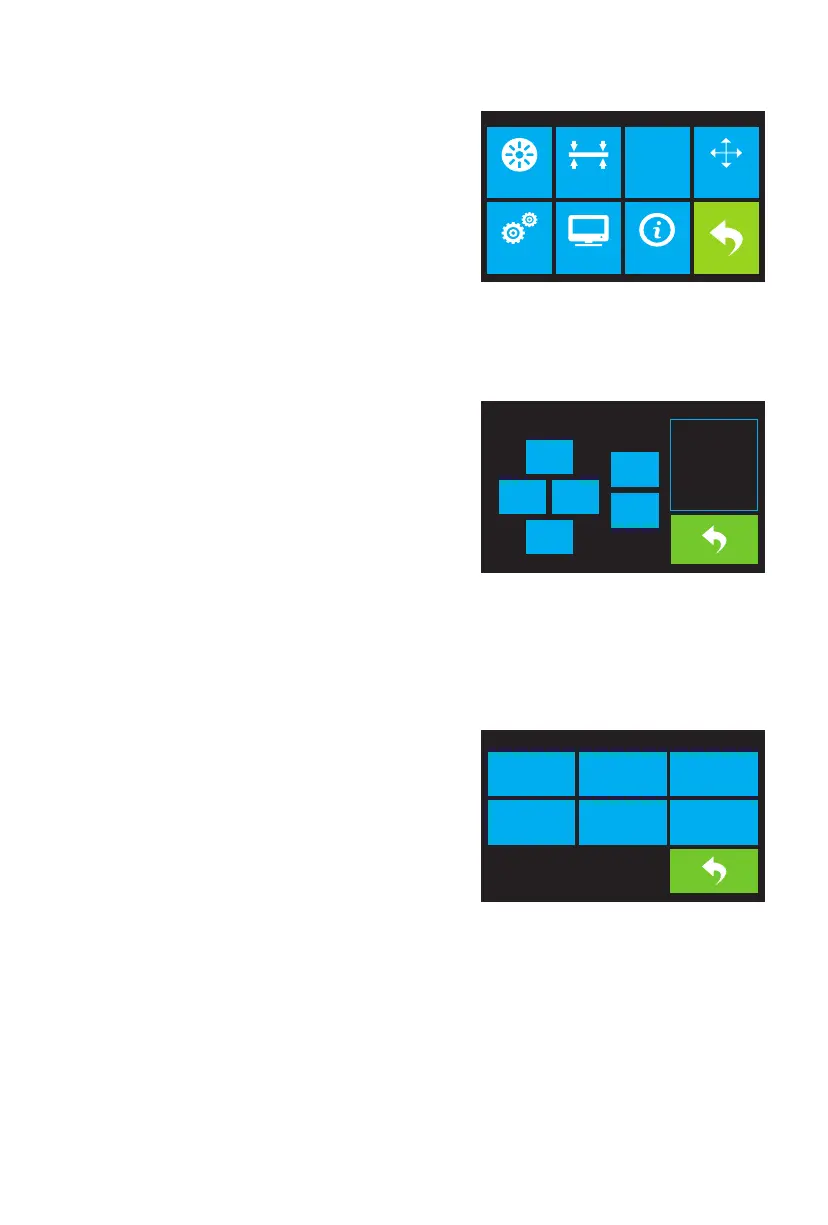
The Tool Menu is displayed by touching the Tool button on
the Top Menu.
· Touch the Filament button to load or unload filament.
· Touch the Level button to level the build plate.
· Touch the Home button to move the extruder to the
home position.
· Touch the Manual button to display the Manual
Adjustment Screen.
· Touch the Setting button to display the Setting Menu.
· Touch the Status button to display the Printer Status Screen.
· Touch the About button to display About Screen.
· Touch the Back button to return to the previous menu.
Tool Menu
07
The Manual Adjustment Screen displays the X and Y
positions of the extruder and the Z position of the build
plate.
· Touch the X+ button to move the extruder to the right.
· Touch the X- button to move the extruder to the left.
· Touch the Y+ button to move the extruder towards the
back of the printer.
· Touch the Y- button to move the extruder towards the
front of the printer.
· Touch the Z+ button to raise the build plate.
· Touch the Z- button to lower the build plate.
· Touch the Back button to return to the previous menu.
Manual Adjustment Screen
The Setting Menu is displayed by touching the Setting
button on the Tool Menu.
· Touch the Language button to select the language
for the OSD Menu System.
· Touch the Fan button to turn the fan on or off.
· Touch the TP Adjust to recalibrate screen.
· Touch the WIFI button to display the WIFI Screen.
· Touch the Factory Reset button to reset the printer's
settings to their factory default values.
· Touch the Update button to update the printer's firmware.
· Touch the Pulley button to display the Pulley Type Selection Screen.
· Touch the Back button to return to the previous menu.
Setting Menu
HOME
Filament Level Home Manual
Setting Status About
X: 150.00
X- X+
Z-
Z+
Y+
Y-
Y: 0.00
Z: 0.00
Language TP Adjust FactoryReset
WIFIFan On
Pulley















 To Next Page