23
Flashprint Software
Flashprint Software
Uncompress the copied RAR file, and complete the installation according to the provided instructions.
Connect your 3D printer to your computer using the included USB cable, ensure that the printer is
connected to your computer successfully. Start the software by selecting the shortcut on your
computer’s desktop or in the Start Menu.
Note: This software supports Windows XP/Win 7/Win8 32-bit and 64 bit, and Mac operating system.
Initial Setup
Installation
Once FlashPrint has been installed, double-click the application shortcut to start the program.
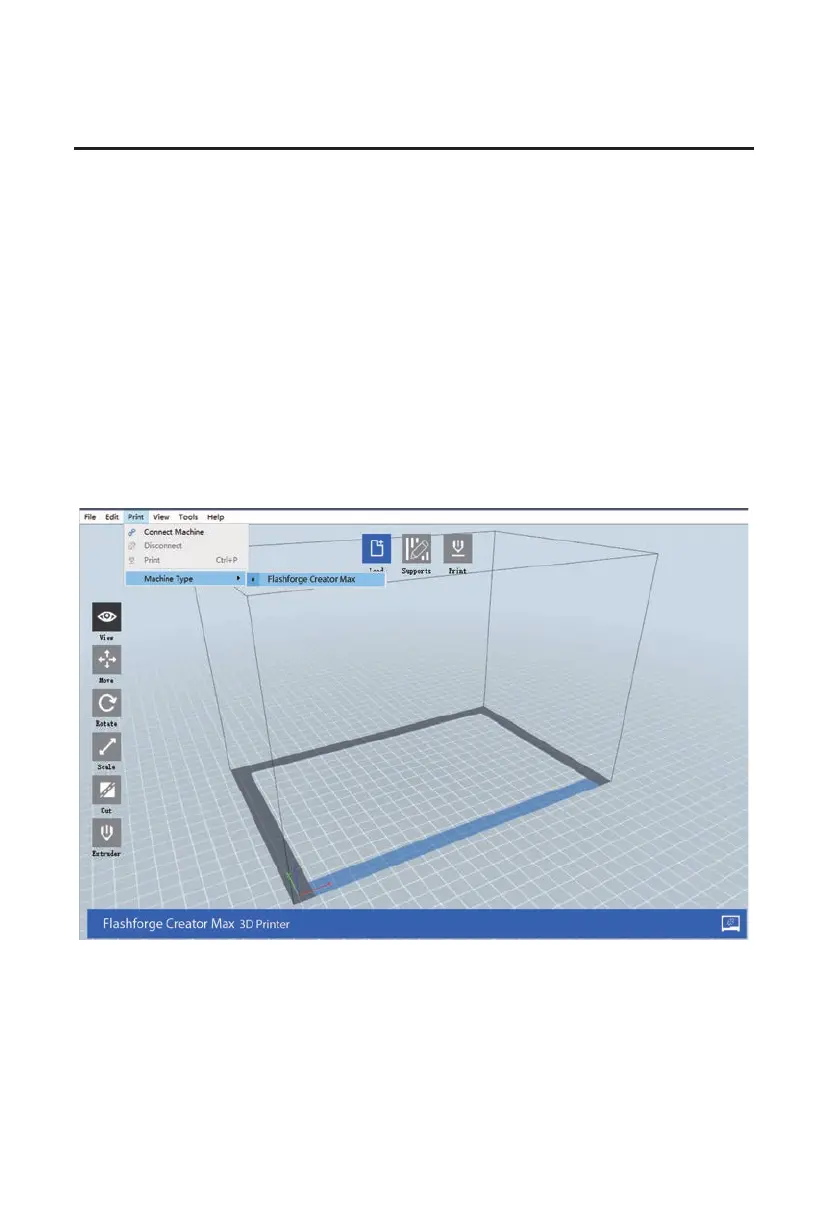
If this is the first time the program has been run, you will be presented with a dialog asking you to
select the Machine Type. Choose the Flashforge Creator Max entry.
You can also select the Machine Type from within the program by clicking Print > Machine Type >
Flashforge Creator Max, as shown in the screenshot below.















 To Next Page