Loading a File
FlashPrint supports six different ways to load a model or Gcode file, as outlined below.
· Click the Load icon on the main interface, then select the file.
· Drag and drop the file onto the main interface.
· Click File > Load File, then select the file.
· Click File > Load Examples to load one of the sample files.
· Click File > Recent Files, then select the file from the list of recently used files.
· Drag and drop the file onto the FlashPrint icon on the desktop to launch FlashPrint and load
the file.
Generating a Model
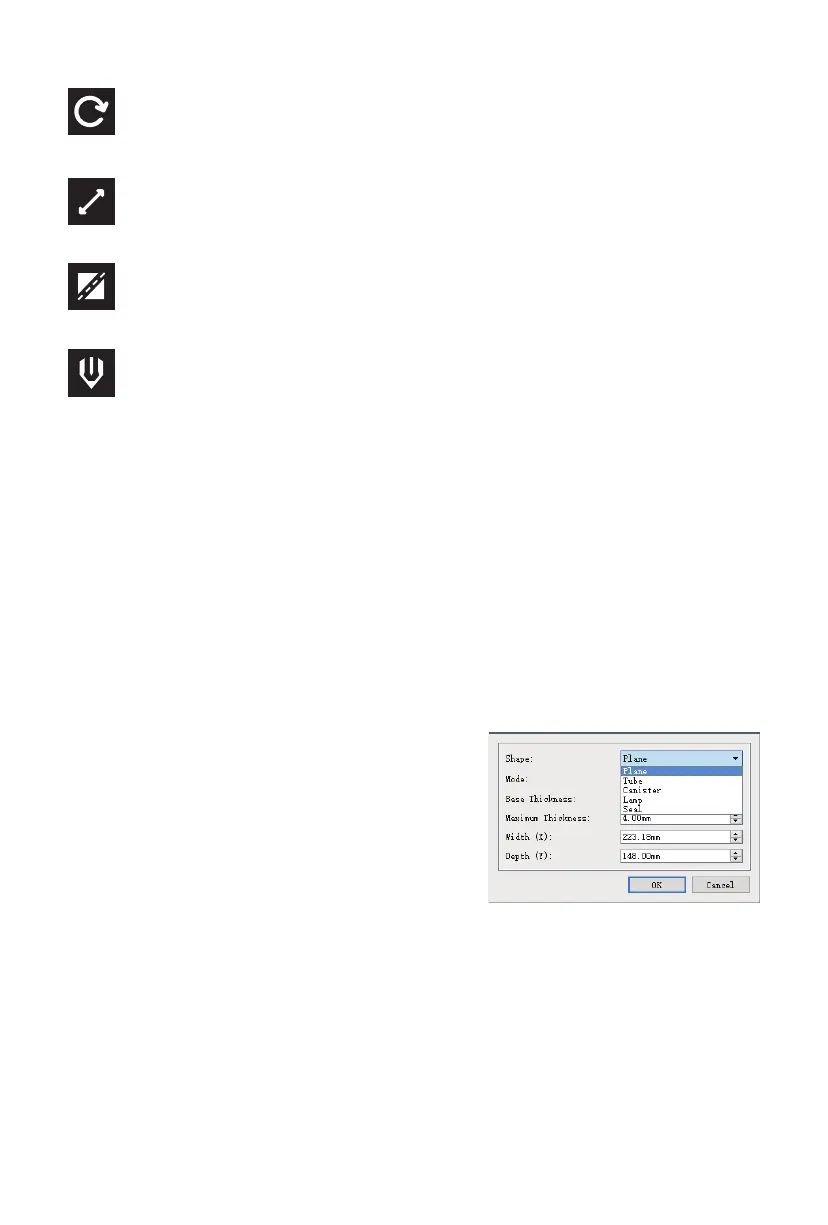
FlashPrint can generate a 3D model file from a .PNG, .JPG,
.JPEG, or .BMP image file. When you load the image file, the
following dialog box will be displayed, which allows you to
set several model parameters.
Shape: Determines the basic shape of the model. You can
select Plane, Tube, Canister, Lamp, or Seal basic
shapes.
Mode: Selects whether the light or dark portions of the
image will be the high points of the model.
Maximum Thickness: Sets the Z value of the model.
Base Thickness: Sets the minimum raft thickness. The default value is 0.5mm.
Width: Sets the X value of the model.
Depth: Sets the Y value of the model.
Bottom Thickness: Sets the thickness of the bottom of tube, canister, and lamp type models.
Top Diameter: Sets the diameter for the top of tube, canister, and lamp type models.
Bottom Diameter: Sets the diameter for the bottom of tube, canister, and lamp type models.
The following screenshots illustrate the five basic shapes.
Move
Moves the model around on the X/Y plane. Hold the SHIFT key then click to move the mode
along the Z axis.
Scale
Scales the size of the model.
Cut
Cuts the model into several parts.
Extruder
Selects the right or left extruder for printing.
25















 To Next Page