H A R D W A R E I N S T A L L A T I O N C H A P T E R 1
DPC Latency Checker
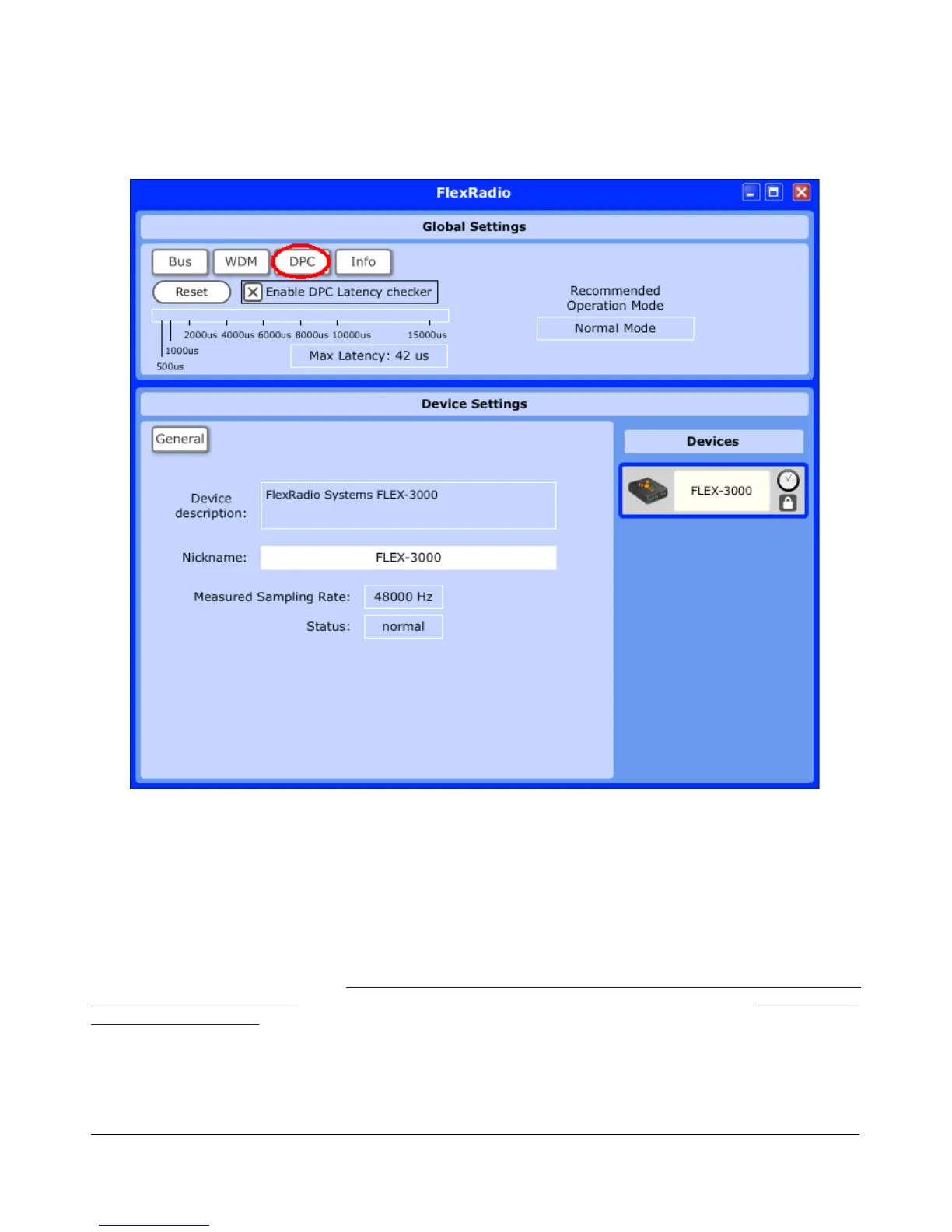
Figure 14: FLEX-3000 Control Panel DPC Latency Checker
The FlexRadio Driver comes with a DPC latency checker to check the maximum latency incurred on
your system. To enable it click the DPC button at the top (Figure 14) and click Enable DPC Latency
Checker. For the result to be meaningful, you should run all applications you usually do while running
PowerSDR (email, digital mode software, logger, etc.) and let it run for at least 5 minutes. The checker
will show the maximum latency found during the test period and recommend an Operation Mode based
on the result. While it may some times recommend Normal Mode, we recommend you use Safe Mode 1
unless you experience latency issues. For further information go to the FlexRadio Knowledge Center on
our website and read the article How to Use the FlexRadio FireWire Driver DPC Latency Checker to
Determine Operating Mode (search for firewire driver in our Knowledge Center at http://kc.flex-
radio.com/search.aspx).
19 2003-2009 FlexRadio Systems



 To Next Page