S E T U P F O R M C H A P T E R 4
Averaging Time: Time in ms over which the signal is averaged for the Waterfall Display. The
AVG button on the Front console has no effect for the waterfall.
Update Period: Time in ms between updates to the Waterfall. The higher the period, the
slower the Waterfall will progress from top to bottom of the display.
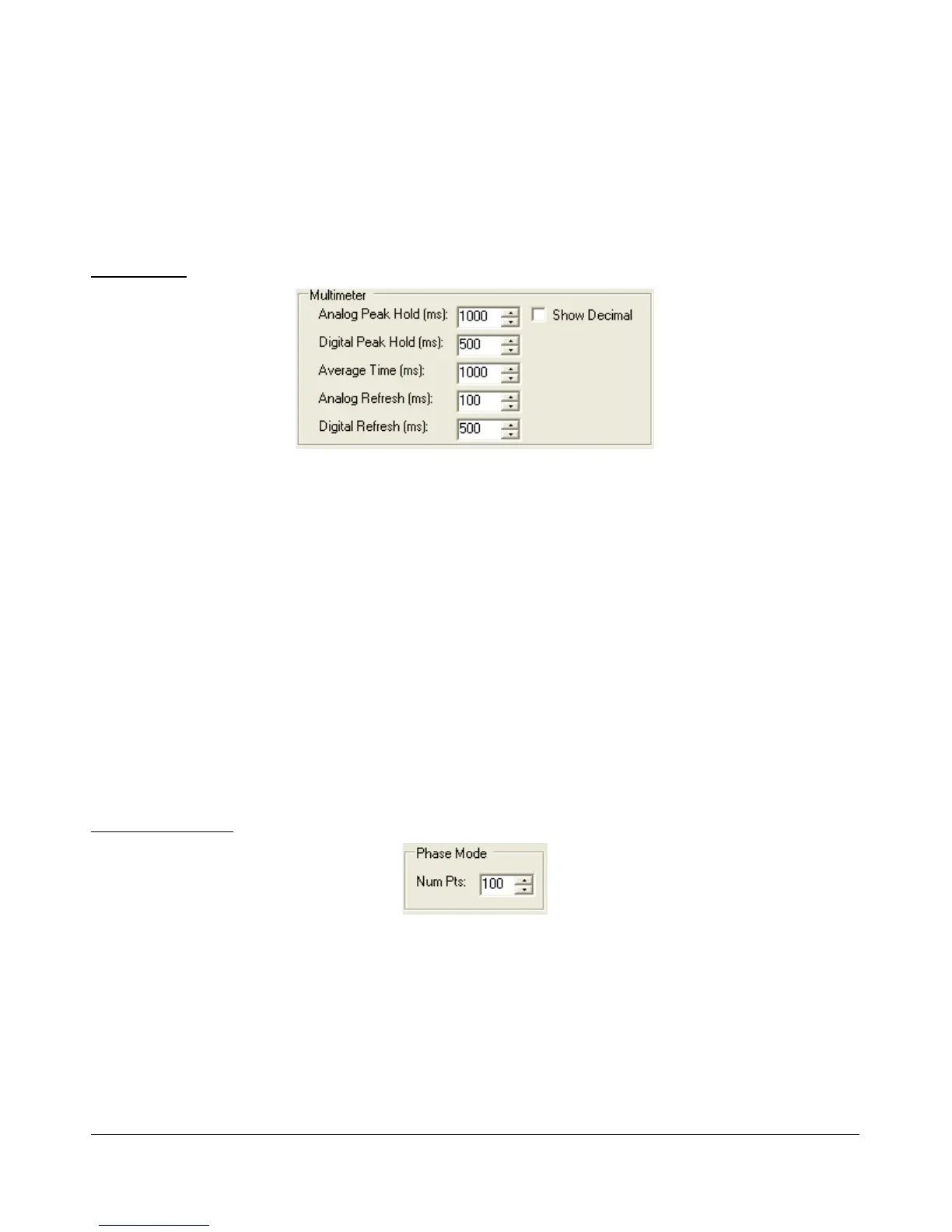
Multimeter
Figure 79: Multimeter Display options
Analog Peak Hold (ms): The length of time in milliseconds to hold the peak on the analog
edge or bar meter. Raising this value will lengthen the hold time and peaks will be held for a
longer period of time.
Digital Peak Hold (ms): The length of time in milliseconds to hold the digital meter when
using the Fwd Pwr TX Meter. Raising this value will lengthen the hold time and peaks will be
held for a longer period of time.
Average Time (ms): The time over which the signal is averaged when using the SigAvg RX
Meter setting.
Analog Refresh (ms): Controls how often the analog meter is updated.
Digital Refresh (ms): Controls how often the digital meter is updated.
Show Decimal: Check to show decimal values in the digital meter.
Phase Resolution
Figure 80: Phase Resolution
This control sets the Phase display resolution in number of points displayed per 360°.
[The rest of this page has been left blank intentionally]
78 2003-2009 FlexRadio Systems



 To Next Page