S E T U P F O R M C H A P T E R 4
VAC Sub-Tab
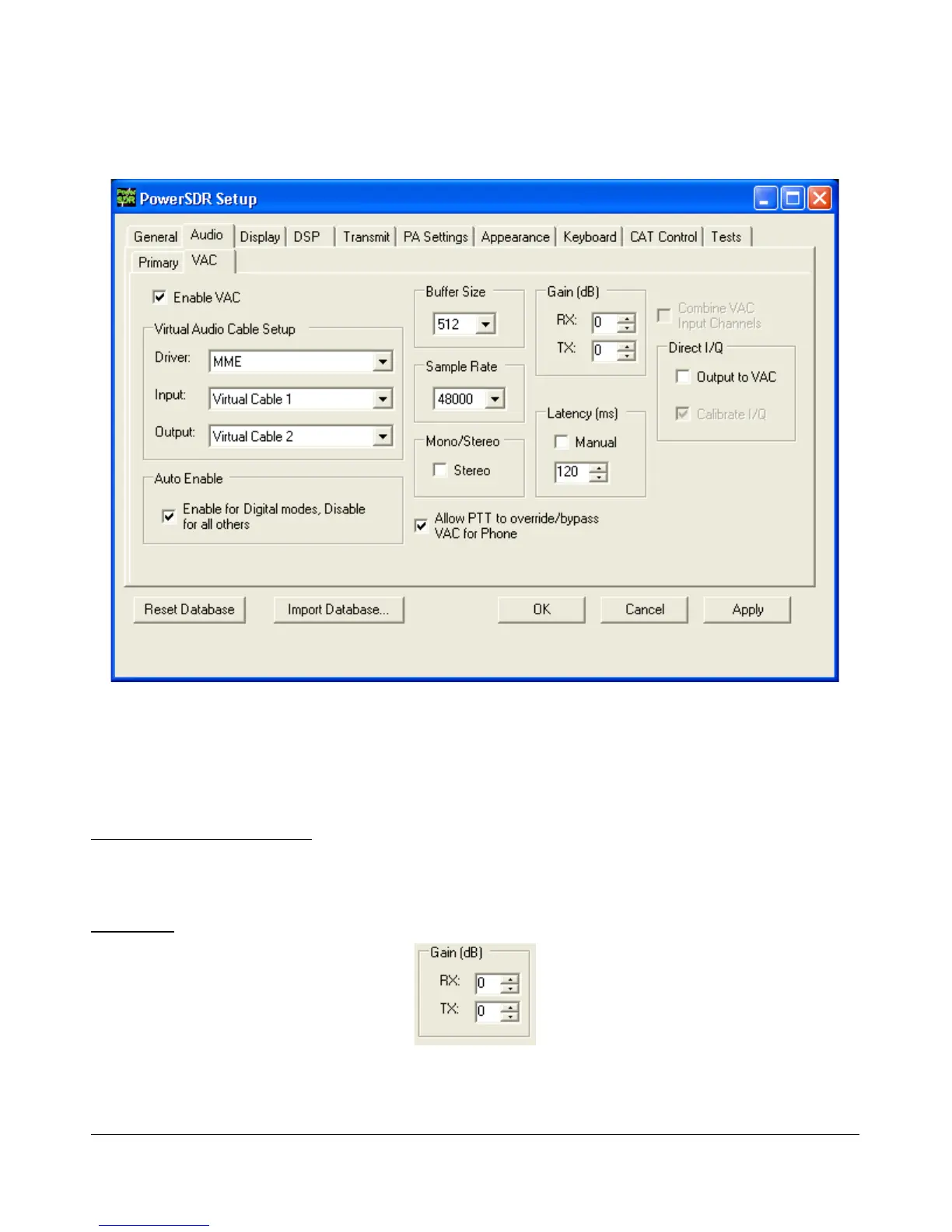
Figure 71: Setup Form - Audio Tab, VAC Sub-Tab
Use these controls to configure the VAC (Virtual Audio Cable) settings for use with PowerSDR. This is
ideal for running digital modes, but can serve as another way to get audio in and out of PowerSDR. The
Buffer Size, Sample Rate are similar to those described in the previous section. Below we describe
the unique controls on this form.
Virtual Audio Cable Setup
Select the driver type you wish to use. With most digital software MME will work well. Select the Input
and Output channels as shown in Figure 71.
Gain (dB)
Figure 72: Gain (dB) Controls
73 2003-2009 FlexRadio Systems



 To Next Page